
Apps Like K12 Class for iPhone and iPad
K12 Class screenshots
Ranked alternatives
Showing 161–180 of 1,000 ranked alternatives.




Auto Clicker-Auto Tapper tool
佳豪 张
Click automatically, repeat tasks, control actions
Allows users to automate repetitive clicking tasks across multiple screen locations. It supports multi-point mode for simultaneous clicks. Users can customize click intervals and durations.


Screen Mirroring: TV Cast View
HIEN NGUYEN
Mirror phone to smart TV
Mirror phone to smart TV via Wi-Fi. content for education, work, gaming, and entertainment. Share photos, videos, and web pages directly. Control casting settings and disconnect easily.

Screen mirroring - smart view
Arthur Dubois
Mirror to any device online
Mirror device to multiple devices simultaneously. Share content on TV, Mac, PC, or tablet via browser. Cast photos, videos, or entire for presentations or viewing. No cables or external apps required. Connect over same internet network.
Display Menu
Thorsten Karrer
Change display settings with one click.
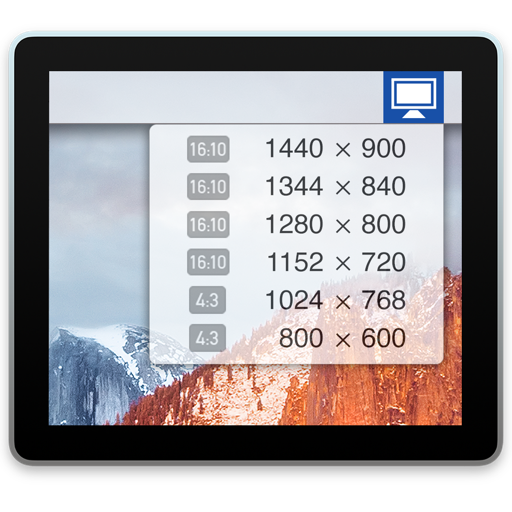
The app displays a status item in the menu bar for changing display settings. Users can adjust resolution, mirroring, and refresh rates.


BatteryXchange
BatteryXchange Inc
Rent and charge mobile devices
Rent and charge cell phones using kiosks. View rental history and payment details. Track device locations and manage access permissions. Connect with nearby kiosks for on-demand charging and rentals.


SC Class Assistant
Robert Wilkens
Track attendance and behavior
Track attendance and homework using a seating chart. Log entries with one tap. Monitor behavior and assign tasks. Randomly select students for participation. Create groups for collaborative activities. Manage up to ten students per and two classes.

Miracast ®ᅠ
Truong Thi Kha Tam
Stream content to your TV in one
Stream screen content, photos, videos, and music to a TV via . Cast media files and web pages wirelessly. Access camera feed and files for playback on a larger display.

Levil Aviation
Levil Technology
Display flight data and navigate safely
Display data from wireless devices like iLevil3 or B.O.M. alongside navigation apps. Customize instrument panels and arrange modules for real-time flight information.
How we rank alternatives
Apps are ranked by functional similarity, category fit, rating confidence, and popularity.