Allows users to access all photos and videos. Users can view, download, and share media. Features include organizing event moments and managing digital content remotely.
Add watermarks or logos to photos and videos. Upload custom logos or text for copyright protection. Apply watermarks to multiple files at once. Edit images and videos with overlay options. Save and share marked content directly.
The app allows users to capture photos and videos with draw and paint effects. Users can select special effects for their pictures and apply filters and blur effects.
View and explore 360 panoramic images and videos from global locations. Access virtual tours and 360 content in VR mode using a compatible headset. Share and discover immersive media from users worldwide.
The app allows users to capture videos and images of their screen at any size. Users can include a video feed from their webcam within screen captures.
Upload photos and automatically remove backgrounds for clean images. Design customizable cardboard boxes with themes. Add festive decorations and text. Share finished creations via social media or email.
Share photos and videos with others. Create profiles and connect with users. Upload content and engage with posts through comments and likes. Explore content categories to find interests. Participate in community discussions and events.
Hide private photos and videos from unauthorized access. Take and import media using the built-in or photo library. Import and export files via iTunes File Sharing. Share selected media directly to social media platforms.
Control aircraft flight using a joystick, gravity感应, or hand gestures. Take and view photos and videos locally. Draw flight paths for the toy aircraft to follow. Access VR mode with compatible glasses.
The app allows users to shoot and view 3D photos with their iPhone. It offers a simple interface for capturing 3D images, including selfie mode and wiggle mode.
Share photos, short videos, and text updates with friends and followers. Express emotions through thoughtful messages and creative content. Connect with others through meaningful conversations and mutual interests.
Shoot photos and videos with live filters. Import media from your gallery. Save all captures directly to the "mk’s " album in Photos. Preview, share, or delete content using the built-in gallery. No cloud storage or social feed features.
Create and customize wedding invitations using pre-designed templates. Add text, images, and colors. Share invitations via email or social media. Track RSVPs and manage guest lists.
Convert videos into Photos by selecting, trimming, and choosing a key frame. Edit and finalize in a four-step process. Share the resulting Photo directly from the .
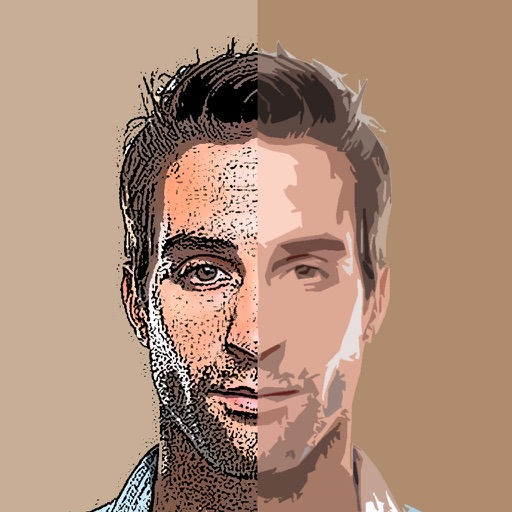
The app offers eight cartoon camera filters for capturing images. Users can share or save photos after applying filters like cartoon, pencil sketch, circular, and colored cartoon effects.
Take selfies with filters and HD video recording. Edit photos with face enhancement tools and color adjustments. Add stickers and text. Share directly to social media. Record and edit videos with basic trimming options.
Display photos and videos from iCloud, Google Photos, and Google Drive. Create and schedule slideshows. Customize transitions and timing. Share content via Wi-Fi or QR code. Manage media libraries and set playback settings.
To photos and videos to protect against content theft. Share files directly with social media platforms. Customize watermark appearance and position. Save watermarked files in various formats.
The app provides Mecalac collaborators and clients access to a library of documents, photos, and videos. This version features a new interface, faster loading, document sharing, and personalized album creation.
The app allows users to view H.264 digital video recordings remotely. It provides features such as PTZ control, audio listening, two-way talk, and remote playback of events.