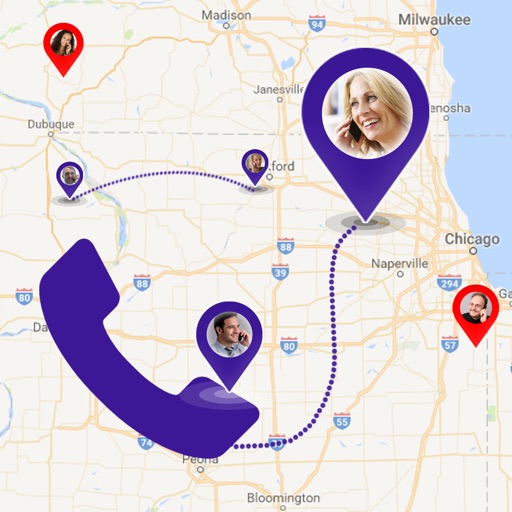
Manage field service tasks with automatic contact pins for map navigation. Schedule service times and create plans. Share and import contacts for easy call transfers. Access nearby contacts via map view. Use a timer for task tracking.
by Levi Wilkerson★ 4.9329 ratingsProductivityFreeData updated 2026-09-06
Store and manage , videos, documents, and contacts with 50 GB cloud . Edit using AI-powered auto-correction for lighting, color, and clarity. Automatically share across devices without manual setup.
Backup and restore contacts, photos, videos, and calendar events with a single tap. Selectively backup and restore specific files. Browse and download photos from the cloud. Manage multiple devices under one account.
Scan QR codes to access links, view menus, connect to Wi-Fi, save contacts, and dial numbers. Generate custom QR codes for URLs, text, and contacts. Share scanned data via email or messaging apps. Adjust QR code size and color for different uses.
Grade tracking allows users to input and manage grades with weighted or total points options. Support dropping lowest or specific grades. Track attendance with custom statuses and link to grade calculations.
Manage contacts by grouping them automatically based on company names. Create, edit, or delete groups and individual contacts. Search for contacts and send emails or SMS/MMS to group members. Add todo tasks for contacts.
Up photo library by removing similar and duplicate photos, delete large video files, merge duplicate contacts, and back up contact information. Analyze video files by size and duration, and easily remove multiple large files.
Backup and protect data with encryption and remote access. Restore files from lost or damaged devices. Securely store photos, videos, contacts, and calendar entries. Enable automatic backups and manage device access remotely.
Schedule Christian ministry activities including midweek meetings, public talks, and field service reports. Assign duties, territories, and cart schedules. View and manage assignments with automatic talk title filling.
The app imports contacts and allows users to add custom entries. It provides reminders for upcoming birthdays and enables direct communication with contacts.
Find details including country, state, city, and area. View on a map. Identify telecom operator and retrieve caller information. Search any for and network details.
Organize files, delete duplicates, manage contacts
Remove duplicate and similar photos, videos, and files. Organize contacts by merging duplicates and sorting entries. Delete unnecessary data like old screenshots and large videos. Manage storage by analyzing file sizes and suggesting deletions.
Manage work orders, customers, contacts, locations, tasks, and products directly from a device. Create and assign tasks, track service progress, generate invoices, and update customer information in real time.
Manage cleaning bookings and communicate with clients through integrated messaging. Set service prices and bid for jobs on the marketplace. Automate scheduling and streamline client coordination.
Organize and clean photos with automatic sorting, duplicate removal, and folder management. Edit contact details, merge duplicates, and export contact lists. Delete photos and videos with one tap.
And WhatsApp chats, media, links, and documents. Import chats from WhatsApp, Google Drive, or exported files. Secure chats with passcode, Touch ID, or Face ID. Preview deleted messages and access them securely.
Track segments with a that operates in background and sleep mode. Monitor time for each part of the . Enable multitasking to use the alongside the Watchtower Online Library or Official Library .