Create and customize fan art using drawing tools and templates. Import images or sketches to base artwork on. Add text, stickers, and effects. Save and share finished pieces directly.
by Kawaii, Incorporated★ 4.626 ratingsPhoto & VideoFreeData updated 2026-09-06
Create 3D plans from uploaded images. Furnish rooms using extensive furniture libraries. Generate high-resolution images for presentations. construction projects or home setups. Export and share 3D designs.
Design -style characters using AI-generated templates. Customize features like hair, eyes, and outfits. Adjust expressions and poses. Export artwork in various formats and share directly.
Create boards by combining furniture, décor, and color schemes. Generate photorealistic interior renders using AI. Save and share design concepts for Airbnb or home projects.
Create invitations, posters, and cards for events like birthdays, weddings, and parties. Choose from numerous templates. Customize with photos, text, and colors. Add personal touches and export designs for printing or sharing.
Create and edit visual content using AI-powered tools. Generate images, videos, and designs with text prompts. Customize styles, colors, and layouts. Export and share finished projects directly.
Reduce photo file size while maintaining quality. Resize images to fit specific dimensions. pictures for email, social media, or upload. Save storage space by optimizing image formats. Share compressed directly from the .
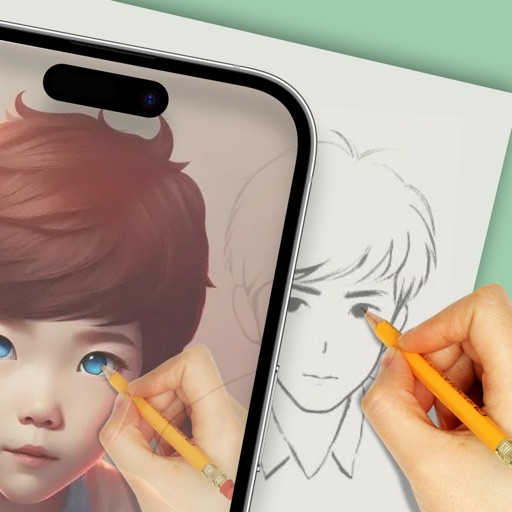
Create by tracing virtual projections of photos on paper, easels, or any surface. Adjust drawing tools for precision. Learn drawing techniques with guided tutorials. Save and share finished pieces. Sync drawings across devices.
Create custom logos and graphics using pre-designed templates and tools. Import personal images for customization. Save and share designs directly. Edit colors, shapes, and text. Export in various formats for print or digital use.
Transform photos into cartoon, anime, painting, or fantasy styles with instant artistic effects. Upload images and apply over 100 dynamic video effects to create animated videos. Edit and share the resulting artwork or video directly.
Create mandalas with customizable symmetry and brushes
Create intricate mandalas by adjusting canvas symmetry, background color, and brush settings. Use predefined patterns or images for drawing. Apply shadows and customize center points. Save and share completed designs.
Create print-ready labels, stickers, and cards using customizable templates or from scratch. Choose from round, square, or rectangle layouts. Drag, drop, resize, and rotate design elements. Add text, shapes, and images.
Create outdoor designs by snapping photos and using AI to generate options. Explore modern patios, green grass, natural paths, lush gardens, stylish decks, and poolside decor. Adjust and customize designs to fit specific spaces.
Manage and play audio files directly on Apple Watch. Add files from various sources. Organize by albums and artists. Create playlists and mark favorites. Control playback speed and resume positions.
Create digital artwork from text prompts using AI- images. Choose from anime, realistic, or artistic styles. Edit and enhance images with a hand drawing tool. Save and share visuals.
Create videos with transitions and background music. Choose from templates across 15 categories. Add effects and trending music. Edit and share finished videos directly.
Use augmented reality to draw on any surface. Create sketches with AI-assisted tools. Select and customize NFT images from your phone gallery. Export drawings in various formats. Share artwork directly from the .
Create slideshows using templates and edit photos with advanced tools. Add text, stickers, and filters. Share directly to social media with pre-set tags. Edit and export videos in multiple formats.
Create AI-generated images from text descriptions. Transform photos using advanced AI tools. Access 100+ specialized apps for different creative tasks. Choose from unlimited styles including realistic, artistic, anime, and vintage.