Use to sing along with Apple Music tracks. Adjust microphone levels and apply effects like gate, compression, limiter, EQ, delay, and reverb. Connect via wired earpods or USB audio interface for low latency. Monitor voice output clearly.
by Tech41 GmbH★ 5.02 ratingsMusicFreeData updated 2026-09-06
The app provides a piano interface for playing Christmas carols on an iPhone or iPad. It includes lyrics that highlight with the music to assist with singing along and learning to play songs.
Create drum patterns with improvisation features and 2D control for jam and intensity. Use 8 assignable pads for live sessions and MIDI controls. Sync with Ableton Link. Export multi-track or full mix via audio-MIDI export.
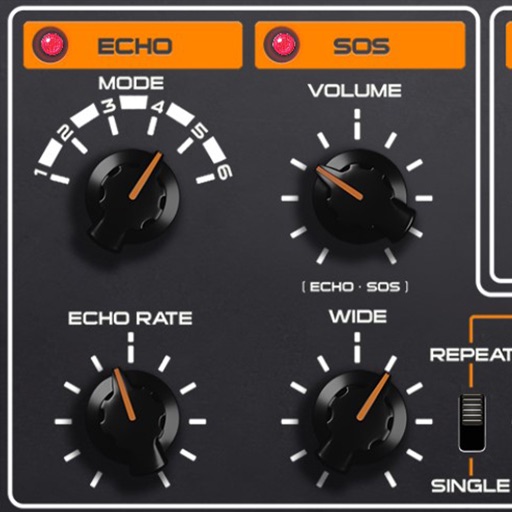
Add analog effects like spring reverb, tape delay, and BBD to audio tracks. Adjust parameters for tone and timing. Integrate with digital audio workstations for real-time processing and sound design.
Create and customize kits with 154 options including 42 classic and 112 original electronic kits. Adjust sounds, velocities, and effects. Record and playback performances. Sync with MIDI devices and control via touch or pads.
Apply convolution reverb using impulse responses from real spaces or hardware. Adjust parameters for decay, pre-delay, and EQ. Blend multiple reverb types. Export processed audio files. Sync with DAWs for mixing and mastering.
The app teaches users to sing harmony with 4-part vocal arrangements. Users can mute or adjust the volume of individual singers to practice their parts.
Create and play music by drawing shapes and triggering sounds. View visual feedback as music plays. Access 88 instruments organized into 22 groups. Use in- purchases for full features. Sync with Apple Health.
Record and edit up to 16 tracks of looped audio. Adjust track settings, use sound-on-sound and overwrite modes. Supports Inter Audio and AudioBus for virtual instrument integration. Customize loops and perform live recordings.
Create personalized playlists by adding favorite songs. Use Quick Preview to play short song clips while adding to a playlist. Customize sound with a graphic equalizer. Apply Reverb effects for a live concert feel.
Record sounds via microphone and manipulate them live with pitch, distortion, and looping. Apply resonant filters, delays, and envelopes. Play sounds in stepped mode like a keyboard or free mode for microtonal effects.
Apply effects with BPM sync and stereo spread. Add a tube preamp for signal coloring. Adjust time, feedback, and mix. Insert as a plugin in DAWs for guitar and audio processing.
Create reverb effects with adjustable room sizes and filters. Modify early and late reflections, add modulation, damping, and diffusion. Use a ducker based on the dry signal. Apply effects to audio tracks in a DAW.
Sings the "99 Bottles of Beer on the Wall" song in a computer-generated voice. Displays 99 bottles on screen. Taps a bottle to remove it during "take one down" phrases or uses autoplay to randomly select bottles.
Simulates a vintage with a single oscillator and monophonic synthesis. Users can adjust oscillator wave shapes, apply onboard delay and reverb effects, and set frequency ranges. It offers 1 to 7 octave range control for customizable pitch.
Create by typing prompts, uploading audio, recording vocals, or remixing tracks. AI syncs lip movements, matches beats, and generates full-length . Dub over existing and export final results without credits or time limits.
Create music with drag-and-drop audio clips, adjust pitch and tempo, add effects, and mix tracks. Export final songs and share directly. Collaborate in real-time with others.
Adjust with real ambient sounds for stadium, arena, club, or bar effects. Select a venue, play songs, and enhance audio with -like environments. Share or save modified tracks.