Apps Like Voxel Pro-3D art model & paint for iPhone and iPad
Edit art, create 3D scenes, export models
Create and edit art with intuitive controls. Use advanced tools for detailed modeling. Import and export models in formats like VOX, OBJ, and JPEG. Move, rotate, and duplicate voxels. Cut, copy, and paste parts of models.
by 卿燕 徐★ 4.58 ratingsEntertainmentFreeData updated 2026-09-06
Draw and color characters directly on the screen or with a pencil on paper. Access a public gallery to share art. Follow step-by-step drawing guides. Color pages with solid or gradient colors. Color pixel art by numbers.
Create digital art or doodles on photos with advanced painting tools like 3D-Shaded , Halo , Plasma Chain , and Translucent . Use Lighten and Darken tools to add depth. Adjust stroke size based on finger pressure. Export artwork in various formats.
Detect colors in real-time using augmented reality. Convert hex, RGB, HSL values. Save and organize palettes. Share colors via link or copy code. Sync across devices.
The app provides tools for realistic oil painting and unique effects like Worm Pen. It features live-calculated brushes and strokes that interact with a generated canvas texture.
Apply VHS, Stardust, Retro, and Golden Hour filters to photos and videos. Edit RAW photos with tools like Contrast, Saturation, Grain, and Fade. Crop and Skew images for perspective adjustments. Save and reuse favorite edits with presets.
Create pixel-art avatars by selecting items from 14 categories. Choose color variations for each item. Customize character appearance with different accessories and clothing. Save and share avatar portraits. Add tags to portraits for identification.
Create videos from text descriptions or static images using AI. Generate dynamic motion from images. Edit and export content. Access advanced AI models for enhanced creativity.
The app provides a virtual art set with realistic tools for painting and drawing. Users can create art with various media, import photos, and export their creations.
Edit photos with 3D and color effects to create立体 art. Apply special effects to enhance images. Save and share edited photos directly. Use fun and intuitive editing tools for creative customization.
Arthur Eduardo Skaetta Alvarez Desenvolvimento de Software LTDA.
, edit, and share
And manage with one tap. Select colors using the wheel or RGB sliders. Export individual colors in RGB and HEX formats. Generate PDF documents containing palette colors and values.
Build and customize pixel-style models using colored . Create structures like buildings, animals, and dinosaurs. Import reference diagrams to guide creation. Adjust block placement and colors to design unique models.
Create colorful designs using art effects with 48 unique brushes and 48 shapes across six categories. Use symmetry and inverse drawing modes for creative effects. Apply dynamic textures and -off particles for realistic results.
Capture and recognize names in real-time by pointing the at an object. Display RGB, HSV, and CIE Lab values. Adjust individual components and view changes instantly.
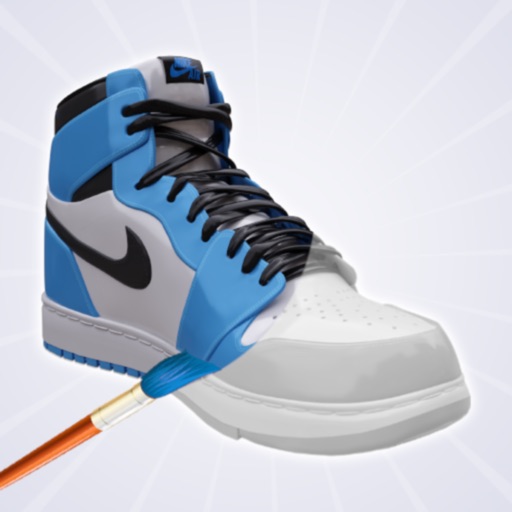
Create and customize shoe designs by selecting colors and patterns. Choose from various shoe models to personalize. Save and share completed designs. Access tools for detailed artwork.
Upload artwork and place it in realistic interior scenes. Combine multiple images into diptychs or triptychs. Customize frame styles, colors, and widths. Save favorite interiors for quick access. Share edited artwork directly.