Apps Like Voxel Pro-3D art model & paint for iPhone and iPad
Edit art, create 3D scenes, export models
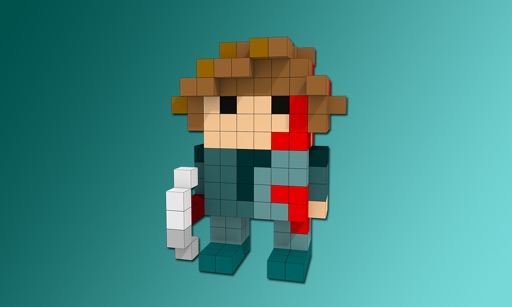
Create and edit art with intuitive controls. Use advanced tools for detailed modeling. Import and export models in formats like VOX, OBJ, and JPEG. Move, rotate, and duplicate voxels. Cut, copy, and paste parts of models.
by 卿燕 徐★ 4.58 ratingsEntertainmentFreeData updated 2026-09-06
The app allows users to create commercial art mockups by uploading artwork and selecting from customizable interiors. Users can enhance portfolios, stand out on social media, and impress collectors with professional art mockups.
Extract colors from photos or camera snapshots. Pan, pinch, and zoom to select areas. View RGB, HEX, CMYK, HSB, and LAB values. Access complementary and Pantone schemes. Export information.
Convert images to vector files with AI-enhanced tracing. Import JPEG, PNG, or WEBP and export as SVG or high-resolution PNG. Edit SVG files manually for precise adjustments.
Create and edit 3D models using 25 built-in primitive shapes. Import and export models in various formats. Adjust geometry with precision tools. View models in 3D and 2D perspectives. Add textures and materials for realistic rendering.
Create artwork using , gem, flower, and other materials. Select images from various categories and follow numbered steps to complete drawings. Customize colors and save creations. Share finished pieces with others.
Generate AI-powered images from text inputs. Create graphics for projects, thumbnails, product visuals, branding, tattoos, wallpapers, and more. Edit and refine images with advanced tools. Export in various formats for use across different platforms.
Scan objects and environments in real time using technology to create detailed 3D models. Adjust scan settings and export files in various formats. Share 3D content directly from the .
With intuitive tools and layers. Edit photos to pixelate them or design memes and posters. Use an advanced color picker with RGBA support. Zoom and move with gesture controls. Export artwork for NFT creation.
Create and customize 3D using pose libraries. Apply shading presets like toon shader. Adjust shapes, animations, expressions, camera, and lighting controls. Edit and refine 3D models for various creative projects.
Creates artwork or photos based on text input and style choices. Edit photos with advanced tools for precise adjustments. Explore artistic inspirations and save or share finished projects.
Create videos using AI models to generate footage from ideas. Select from various AI models to produce professional-looking results. Edit and refine videos with built-in tools. Replace or adjust elements with different models for desired outcomes.
Identify colors using the camera for real-time detection. View names and hex codes. colors from brands like Sherwin-Williams and Benjamin Moore. Explore professional palettes and check harmony with a built-in wheel. Import photos to analyze colors.
Create AI-generated art from text prompts by selecting a style and generating images. Design tattoo artwork based on descriptions. Save and share generated art directly.
Explore dynamic pixel art scenes from the 1990s. Navigate through interactive environments. Adjust lighting and perspective. Save and share custom views. Play background music loops. Toggle between different scene modes.
Create 3D models from text or images using AI. Upload a photo or enter a description. nd refine models with editing tools. Export in various formats and integrate with design software.
Scan objects using the TrueDepth camera to create detailed 3D models. Export scans in STL, OBJ, USDZ, and PLY formats. Share or download scans directly. Suitable for 3D designers, developers, and enthusiasts.