Display internet and data usage in Notification Center and Lock Screen. View daily usage statistics and billing cycle status through widgets. See live internet and historical usage graphs.
Customizable provide quick access to favorite apps. One-tap launch functionality enables opening from the . Supports major applications. Features a minimalist, elegant UI design.
Customize phone desktop with widgets for weather, calendar, groups, vintage clock, and daily Bible kit. Personalize with popular wallpapers and icon packs. Add widgets for quick access to features and information.
Customize home screens with high-definition 3D wallpapers and widgets. Apply pre-designed themes with one click. Save and switch between sets and combinations. Adjust quick settings directly from the home screen.
Customize home screen with widgets like wallpaper, photo wall, and countdown. Adjust settings for appearance and function. Swipe to select preferred widgets. Sync themes with device for adaptive updates. Personalize screen with tailored content.
Track sleep patterns and energy levels with detailed analysis. Set daily routines based on natural rhythms. Sync with Apple Watch for real-time data. Access key insights via Home Screen and Lock Screen widgets.
Display memos as on the home screen. Create, edit, and organize notes with text input. Set reminders and categorize memos. Share notes via copy or email. Sync across devices.
Perform calculations directly from the home screen or control center. Use an interactive to add, subtract, multiply, and divide. Access basic and advanced functions without opening a separate .
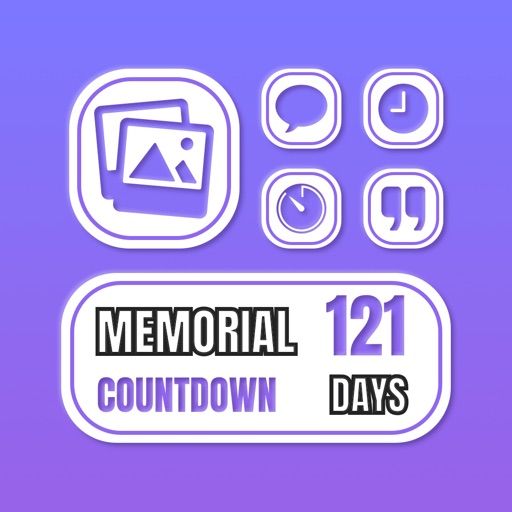
Lets users track time until or since events like birthdays or anniversaries. Create countdowns or timers for specific dates. Choose from pre-designed widgets or customize designs. Set reminders for important moments. Share countdowns with others.
Customize home screen with widgets for displaying information. Add multiple widgets with unique styles and sizes. Adjust layouts, backgrounds, fonts, colors, and images. Use pre-made templates offline or download backgrounds online.
Timer for event tracking with customizable date and time settings. Set repeat dates and notifications. Choose background color, image, text style, and placement. Organize events into folders. Calculate date, time, and time differences.
Manage schedules and timetables with support for multiple calendars. Color-code classes for easy identification. Track to-dos, assignments, and exams with deadline reminders. Calculate attendance rates and record attendance entries.
Create unlimited folders and with color coding and pinning. Set deadlines and view remaining days or elapsed time. Configure notifications with repeat options and sound choices. Enable vibration alarms for silent alerts.
View photos, customise messages, and position them
Displays selected photos on the home screen with customizable message placement and sizes. Users can update photos automatically and personalize messages with specific positioning options.
Display a with customizable colors and fonts. Toggle between 12-hour and 24-hour formats. Show seconds and date. Switch between dark and light modes. Rotate in landscape or portrait orientation.