Documents by taking pictures. Convert images to PDF format. Share the file directly via email or messaging apps. No need to save or manage files locally.
by Optional Endeavors Group LLC★ 0.00 ratingsUtilitiesFreeData updated 2026-09-06
Access product information such as Instructions for Use, technical specs, labels, and manuals. Search and retrieve documents quickly. Share materials with internal teams and customers. View drawings and guides. Sync across devices for offline access.
Edit and annotate PDF documents with text, highlights, and comments. Export pages, merge files, and convert formats. Search content, adjust layouts, and share edited documents directly.
Create and edit PDF documents by converting to PDF format. Add digital signatures for legally binding documents. Organize and manage with drag-and-drop functionality. Merge multiple documents into one. Export in various formats and share directly.
Convert images to PDF by selecting and arranging photos from your gallery. Crop and rotate images before conversion. Combine multiple images into a single PDF. Save, share, or print the resulting file.
Print photos, PDFs, and documents directly from iPhone, iPad, Macbook, or iMac. Connect to compatible printers via AirPrint. Share files from photo library, email, or cloud storage. Print web pages and documents wirelessly. Support for major brands.
The app converts PDF files into editable Numbers spreadsheets. Users can convert entire documents, specific page ranges, or marked areas within a page.
View, scan, and manage PDF files with a clean interface. Use OCR to extract text from images and convert scanned documents to editable text. Access text-to-speech functionality for audio playback. Securely store files locally without cloud upload.
Convert PDF files to JPG images and compress PDFs for easier storage. Convert Word documents to PDF and zip files for organized management. Use AI-powered translation and voice-to-text tools for document processing and editing.
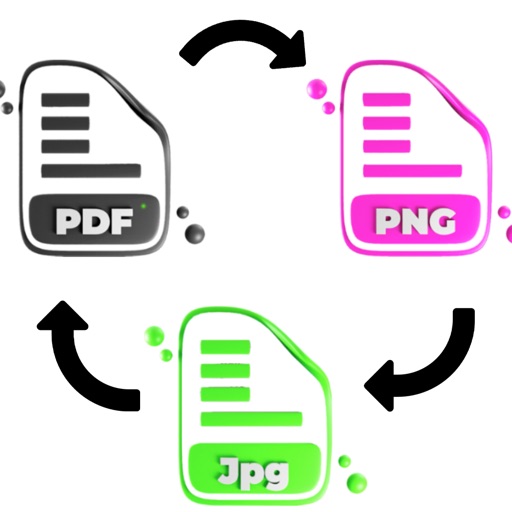
Convert PDF files to JPG, PNG, and GIF images. Convert images to PDF files. Save and share converted files. Send PDF images via social media platforms.
MULTITECH SYSTEMS BILGI ISLEM SANAYI VE TICARET LIMITED SIRKETI
Scan, save, and share documents
Scan documents and save them as PDF, JPG, or TXT files. Share scans directly from the . Use e-signature to add a signature to documents. Employ OCR to extract text from scanned images. Store all files locally without an internet connection.
Documents directly from PDFs without printing or scanning. Add signatures or initials with a tap. on any device from home, work, or public places. Choose from multiple signature styles and save signed documents securely.
Create and edit PDF documents with advanced tools. Scan and convert paper documents to PDF. Edit , add signatures, and merge files. Use OCR to extract from images. Protect PDFs with password locks. Convert PDFs to audio formats.
Extract text from images or documents using the camera. Edit and copy extracted text directly. Save text as files or share via email. Supports multiple languages and formats.
Search and locate PDF files across devices. Create PDFs from web pages or convert DOC, DOCX, PPT, and PPTX files. Edit text, images, and pages within PDFs. Export edited documents in various formats.
Read and manage PDF documents with fast viewing and smooth scrolling. Pinch-to-zoom for detailed pages. Navigate through documents page by page. Auto-save recently opened files. Quickly access and add new files.
Convert documents between PDF, EPUB, FB2, RTF, TXT, CHM, MOBI, AZW, and DJVU formats. Batch process multiple files at once. Use advanced multi-threading for faster conversions. Maintain formatting during file transformations.
Convert images of articles into editable text. Scan documents, edit text, share files, or read content directly. Works offline without requiring internet connection.