Apps Like Ditherable: Retro & Pixel art for iPhone and iPad
Try dithering methods and share your images
Convert images to vintage color palettes of old computers like IBM PC, Apple II, or Game Boy. Apply dithering methods including Floyd-Steinberg, Atkinson, and Bayer. Share edited images with others.
by Eskil Gjerde Sviggum★ 4.955 ratingsPhoto & VideoFreeData updated 2026-09-06
Capture photos and videos with film effects including retro filters, grain, light leaks, and analog imions. Apply 8mm and VHS video styles. Shoot directly from the without editing or registration.
Create and manage palettes with support for multiple formats including HEX, RGB, HSL, and CMYK. Export colors as PNG or SVG. Save history and access a library. Organize projects and select colors from images, camera, or web.
Control switchers, record videos, edit clips, manage
Control live video productions with switcher functions, macros, audio, media, and editing tools. Manage transitions, layouts, and shortcuts. Record and stream directly from the device.
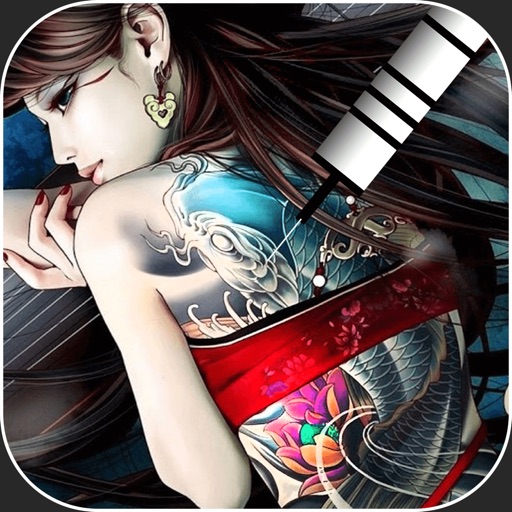
Create virtual tattoos on photos by selecting from 100+ black and white or 60+ color totems. Add text or captions and adjust position, rotation, size, font, or color. Save edited images to the photo library or share via social media.
Book offers festive holiday-themed pages for . Users can play music while . Pages are designed with simple, clear layouts. Features include easy navigation and relaxing visuals.
Create pixel art sprites with drawing tools and a powerful engine. Open and edit pixel art files from Files. Use iCloud Drive for cloud storage. Support Apple for precise input. Import and customize color palettes.
Enhance photos with AI-powered cleaning, color correction, and clarity adjustments. Remove blur, restore details, and convert black-and-white images. Export edited photos in high resolution and share directly.
Creative drawing tools allow users to draw, color, and design with brushes, textures, and shapes. Access a variety of pages featuring animals and educational themes. Erase, resize, and customize artwork. Save and share completed drawings.
Edit photos using professionally crafted Lightroom . Apply filters, adjust colors, and enhance images for social media. Save and organize . Export edited photos for Instagram and other platforms.
Convert photos into limited-color posters with a effect. Apply filters to adjust colors and brightness. Share images on social media platforms like Facebook and Twitter. Save or email the edited photos directly.
Plan and style rooms using AI-driven design suggestions and a 3D . Arrange furniture, visualize layouts, and explore design options. Import existing measurements for accurate planning. Generate realistic 3D views of proposed designs.