Calculate duct sizes quickly with finger sliding for precise measurements. Display equivalent round and rectangular dimensions. Support IP and SI unit conversions. Perform accurate calculations for efficient system design.
by MULBERRYSOFT COMPANY LIMITED★ 0.00 ratingsUtilities$4.99Data updated 2026-09-06
Helps estimate materials for various shapes. Users input dimensions to calculate volume and quantity. Features include slab, column, and post calculations. Saves results for future reference.
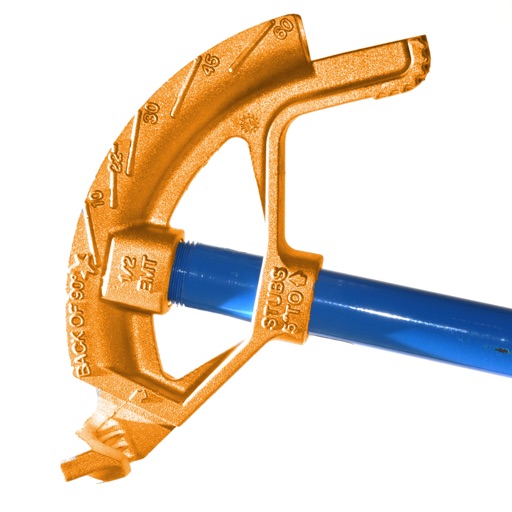
Calculate conduit bends with precise measurements and angle calculations. Input pipe dimensions and tool specifications. Generate bending templates and visualize the layout. Export data for use in projects.
Calculate metal weights with support for multiple metals, shapes, and units in both metric and imperial systems. Perform offline calculations without background processes. Save settings and favorite calculations.
Helps students learn fractions, decimals, and percents by ordering equivalent values on a . Features include multiple levels, visual representations, and interactive exercises to reinforce concepts.
Performs basic arithmetic and scientific calculations. Save equations and results for later. Unit Converter converts units for area, length, temperature, and more. Includes tools for currency exchange, date calculations, and percentage computations.
Fan Law Calculator allows users to input rpm, cfm, static pressure, and horsepower. Modifying one value recalculates the others. Ductulator helps size HVAC ducts by inputting shape, dimensions, air temperature, elevation, and roughness.
Create 3D room models with accurate scaling for immediate measurement or later review. Capture point-to-point measurements with two taps. Use Smart Level to align picture frames and artwork automatically.
Play a sliding puzzle game where players move left or right to control their character. Dodge obstacles that reduce numerical values. Complete levels by finishing races with the highest remaining .
Perform calculations using a scientific calculator with customizable layouts. Take notes automatically with the notepad feature. Enable multitasking with slide over and split view on iPad. Drag and drop elements for easy rearrangement.
Is a that allows editing of mathematical expressions with instant results. It syncs calculation history across devices. Purchasing + adds unit conversion, history tools, fractions, and more.
Convert units between and . Choose decimal places for precision. Input values and get instant conversions. Save frequently used conversions for quick access.
Perform calculations with a multi-line display that supports complex expressions and order of operations. Edit equations, save history, and switch between and basic modes. Share results via copy or email.
Use the camera to object sizes, room areas, and shopping items. Capture images and receive precise dimensions with AI accuracy. View detailed measurements and compare sizes instantly.
Perform -based calculations with addition, subtraction, multiplication, and division. Input and display in days, hours, minutes, and seconds. Customize format preferences. Convert between different units.
Calculate, add, subtract, multiply, divide, and percentage
Perform basic arithmetic operations including addition, subtraction, multiplication, and division. Calculate percentages and use memory functions like M+, M-, MR, MU, and GT. Includes square root functionality.