Create clips with one click. Apply effects, add soundtracks, and adjust speed. Save videos to your device or share to social media. Subscribe for unlimited access to all features and content.
Customize home screen icons and themes with pre-designed options or create new icons from scratch. Select and apply themes from artist-created libraries. Follow step-by-step instructions to replace icons using the iPhone .
Apply 20 high-quality filters to photos, including fruit, dessert, milk, and galaxy themes. Edit images with intuitive touch controls. Share edited photos directly with friends.
Record short video clips up to three seconds. Combine clips into timelapse movies. Edit clips with transitions and music. Share finished videos directly. Sync clips across devices. Create , weekly, or yearly compilations.
Create swipeable collages with multiple pages and photos. Add images from the photo library. Customize with color options, filters, cropping, and shapes. Preview the in a full swipe . Save the final to the photo library.
Create thumbnails and banners for videos using pre-made templates or custom designs. Add text with customizable fonts and colors. Adjust covers and apply animation effects. Include popular stickers for emphasis. Export and download finished designs.
Edit photos and videos with over 15 filters from the 1920s to the 90s. Customize filters with adjustments. Add glitch effects with a single tap. Import photos or videos. Set custom dates and film titles.
Create videos from photos with music and special effects. Add transitions, text, and backgrounds. Export videos in various formats and share directly. Apply cool effects to enhance visual storytelling.
Save and share Instagram stories with video playback and hashtag generation. Repost photos or videos anonymously. Create stories using free templates. Customize profile pictures with border styles. View stories without account login.
Create social media covers and profile art with customizable templates, fonts, stickers, borders, and filters. Upload free stock images. Edit designs with drag-and-drop tools. Export in various formats.
Edit photos using curated Lightroom for portraits, landscapes, and social media content. Organize into categories, save favorites for quick access, and apply them with a single tap. Export edited photos in various formats.
Create invitations with customizable templates for events like weddings, birthdays, and holidays. Choose from multiple background options and add personal photos. Edit text, colors, and layouts to design professional-looking cards.
Clips into one with trimming, cropping, and editing tools. Add background music from iTunes or personal recordings. Save to the Photos or share to Facebook, Instagram, YouTube, Dropbox, and other platforms.
Create videos using photos from the camera roll. Set project titles and import images. Arrange photo order, select templates, add music, apply filters and effects. Choose format and export the final project.
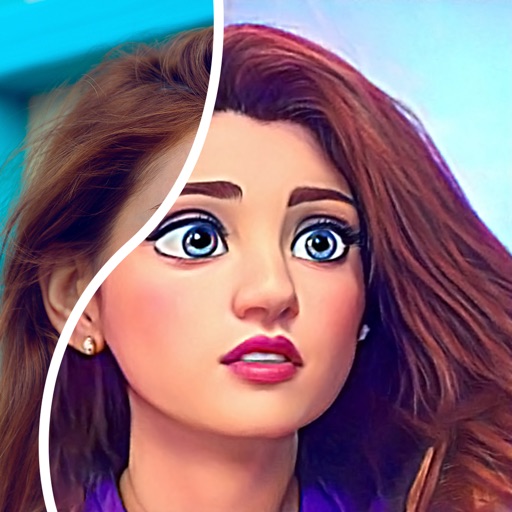
Convert photos into comic styles using AI algorithms. Edit avatars with retouching tools. Access various comic templates. Apply filters and adjust images for effects. Share edited images directly.
Create AI photorealistic avatars from uploaded photos in styles like Professional Headshots, Video Game, Cyberpunk, and Anime. Choose from 5+ styles. vatars in about 20 minutes. Export and share the resulting artwork.