Apps Like Remote Control TV & TV Plus for iPhone and iPad
Your Smart TV remotely
Smart TV functions via smartphone or tablet. Navigate menus, adjust volume, change channels, and manage playback with touch or gesture commands. Access streaming services and customize layouts.
by SHADOW UNIVERSE L.L.C.★ 4.3235 ratingsUtilitiesFreeData updated 2026-09-06
Your TV using gyroscope gestures for channel changes and volume adjustments. Use voice commands to operate the TV hands-free. Ask for a movie recommendation based on your mood. Access streaming apps directly from the interface.
Control your LG Smart TV by accessing menus and apps like Netflix, Amazon, and Spotify. Change channels, adjust volume, and schedule recordings. Navigate the TV interface without a physical .
TV with a touchpad for navigating menus and launching channels. Automatically detects Smart TV on the same Wi-Fi network. Simplifies with a clean interface and direct channel access.
TV functions like power, volume, and channel using your iPhone. Select from supported brands including Samsung, Roku, TCL, LG, and Sony. Pair with your TV via infrared or network connection. Adjust settings and manage playback directly from the .
Measure ambient noise levels and compare recordings to reference charts. Save audio files and view a history of past recordings. Requires subscription for saving and active screen display.
Control your TV with a . Manage volume, channel, and input settings. Switch between supported brands like Samsung, LG, and Sony. Pair via WiFi and navigate using on-screen buttons. Adjust brightness and mute functions.
Control vehicle functions remotely by locking, unlocking, and accessing car features through a user-friendly interface. Schedule engine start, monitor battery levels, and receive maintenance alerts.
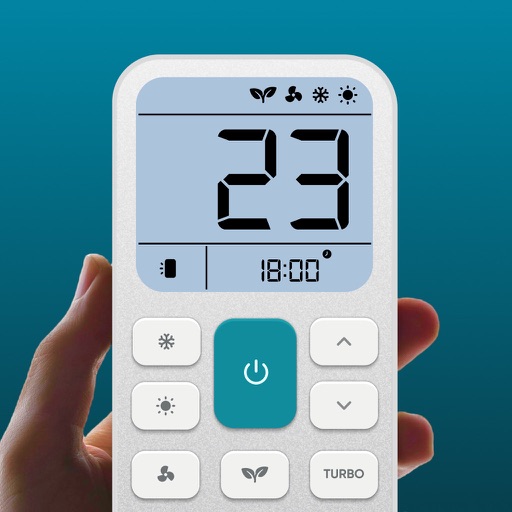
Control air settings from a smartphone. Adjust temperature, switch modes, set timers, and change fan speed. Connect to multiple AC units. Compatible with various brands. Manage cooling or heating remotely. View and adjust schedules.
Control your Smart TV with a that allows turning it on and off. Use a built-in keyboard for typing on the TV. Navigate with a trackpad support for precise movement.
TV with a smartphone , offering power management, channel switching, volume adjustment, and source selection. Use a touchpad for navigation and a built-in keyboard for typing. Access smart navigation for enhanced TV .
Fight with silly characters and physics-based chaos
Control silly characters in chaotic brawls with physics-based combat. Punch, kick, and throw opponents in unpredictable fights. Battle in varied arenas like wrestling rings, buses, rooftops, and trains.
Control compatible Smart TVs and streaming services from a smartphone. Adjust volume, change channels, and navigate menus. Access favorite apps and manage playback. Enable voice commands for quick interactions.
Control device via WiFi or Ethernet network. Specify IP address during first launch to establish connection. Adjust settings, navigate menus, and manage recordings remotely from iOS device.
AC devices remotely via internet connection. Power on/off units, adjust temperature, and modify settings. Create custom schedules and view real-time status updates. Sync with multiple devices and receive notifications for system changes.
Multiple audio and video devices including TVs, Blu-Ray players, and streaming devices. Adjust volume across all connected devices. Access a comprehensive code library for various brands. Follow an online setup guide for easy configuration.
Mirror device in real-time to smart TV. Stream videos, photos, and presentations wirelessly. Connect via Wi-Fi without cables. Supports audio and video playback with low latency. Compatible with major TV brands. Simple setup for quick use.