Edit photos with filters, cropping, and adjustments. Add text and stickers. Use beauty tools to enhance skin tone and reduce imions. Share edited photos directly. Create custom stickers from images or text.
Capture photos and videos with real-time filters applying effects during recording. Adjust filter position by tapping, swiping, or pinching. Edit videos with multiple filter styles ranging from funny to artistic. Share edited content directly.
Screens to multiple TVs, computers, or devices simultaneously. Access via a web browser using a provided URL. Share content on TVs, phones, tablets, Macs, PCs, and game consoles with zero delay and high-quality display.
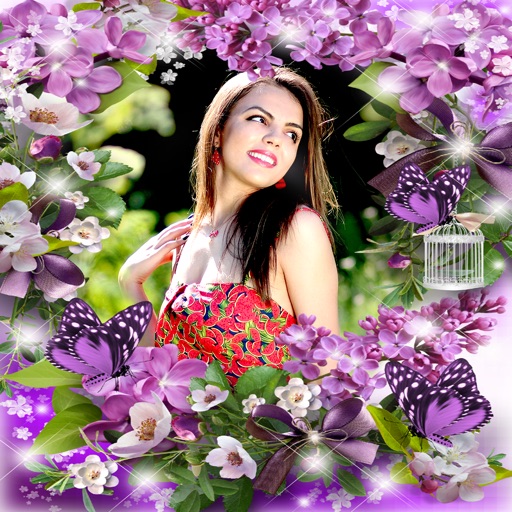
Edit photos with filters, cropping, and adjustment tools. Add text, stickers, frames, and patterns. Create collages by combining multiple photos. Share edited images directly to social media.
Edit selfies with Virtual Front Flash for brighter lighting in low- conditions. Preview lighting adjustments before capturing. Choose any color to customize your look. Share edited photos directly from the .
Edit photos and videos with AI-generated anime styles, including facial enhancements and background effects. Apply filters, adjust colors, and add animated elements. Export edited content in various formats and share directly.
Edit photos by highlighting colors, removing or changing backgrounds, and blurring specific areas. Use healing and smoothing tools for precise adjustments. Create photo montages and export edited images directly.
Capture photos with customizable spring . Add to existing or new photos. Organize photos into albums. Share edited photos directly. Edit images with frame adjustments and effects.
Create collages by selecting from 1000+ layouts, grids, and templates. Add photos, adjust sizes, and apply filters. Share collages directly to social media or via email. Edit text, add stickers, and crop images within the .
Create images with added text, , or poems over photos. Customize text color, size, font, and background. Add watermarks, logos, or QR codes. Share directly to Instagram.
A retro simulates low-resolution image capture with vintage artifacts like bayer filter patterns, noise, and blooming. Users can pinch to zoom, adjust exposure, and export photos in JPEG format.
Faces in photos using AI-driven facial recognition and blending. Upload two images, select faces, and generate realistic swaps with accurate skin tones and lighting. Export high-quality results directly.
Edit photos with background removal, cropping, and resizing tools. Adjust brightness, contrast, and color. Choose from and ID photo templates. Preview and export in required formats. Share directly or save for later.
Edit photos with single-tap filters, brightness, opacity, contrast, blur, and focus adjustments. Rotate, crop, and resize images. Share to Facebook, Twitter, or Instagram. Save to photo library or send directly.
Capture photos with signature color and style. Adjust exposure, focus, and white balance manually. Select from multiple film simulation modes. Edit images with basic tools. Share photos directly from the .
View your reflection with adjustable brightness and one-handed controls. Zoom in up to 10x for detailed inspection. Take selfies with a single tap and save or share them instantly. Includes built-in lighting for better visibility during application.
Edit photos with face-lifting, slimming, and skin retouching tools. Apply effects to preview future appearances. Enhance complexion and adjust facial features using AI technology. Add special effects for creative editing.
Edit photos with filters, cropping, and adjustments. Customize face and eye size, and adjust skin smoothing. Export in multiple formats and share directly.
The app transforms a device into a mirror using the forward-facing camera. A new Brighten feature provides soft light for a clearer reflection, and the app is updated for faster performance.