Capture high-resolution photos and videos with advanced capabilities. Use professional-grade stabilization to reduce shake and ensure clear footage. Adjust focus and exposure settings for detailed images. Save and share media in various formats.
Edit photos with filters, cropping, and brightness adjustments. Add text, stickers, and borders. Export in JPEG and PNG formats. Share directly to social media or messaging apps.
Edit photos with 50+ filters and flare effects. Adjust contrast, brightness, saturation, and exposure. Add text with custom fonts and colors. Apply splash effects with multiple shapes and background blur. Save and share edited photos.
Edit photos with vintage, color, black and white, and sepia filters. Import images from the library or capture new ones. Share edited photos to Instagram, Facebook, Twitter, and other platforms.
Capture photos with -like focus effects and background blur. Adjust depth settings for precise bokeh. Edit images with advanced depth mapping technology. Export high-quality photos in various formats.
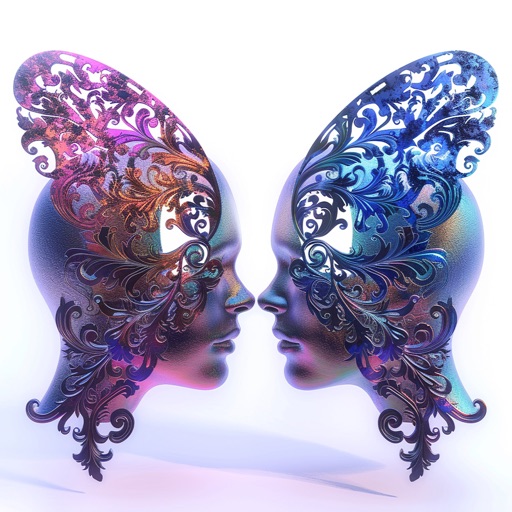
The app creates unique, animated composite pictures and videos of faces by dividing photographs into quadrants. These quadrants are merged into a smoothly aligned video display of combined facial images from multiple sources.
The app provides photo editing tools with a simple design and powerful editor. Users can add textures, stickers, and frames to photos and enhance images with various filters and adjustments.
Capture high-resolution images with HD . Remove photo backgrounds and restore old memories. Edit photos with AI enhancements. Adjust focus and exposure settings. Share edited photos directly.
The app allows users to design custom glassy wallpapers using photo, color, or gradient backgrounds. Users can select photos, blur them, and adjust brightness and contrast to create unique phone backgrounds.
Record videos and photos with real-time RGB, contrast, and exposure adjustments. Apply all filters during recording with zero delay. Preview exactly what will be captured without rendering or waiting.
Edit photos with cropping, rotation, and creative tools. Apply 15+ color filters and stickers. Capture photos with camera or choose from gallery. Create square-style collages and share directly.
Photos with filters, cropping, and adjustment tools. Add Russian stickers, fonts, and text. Use custom textures as borders, frames, or text overlays. Export edited images in multiple formats.
Edit photos with border, frame, text, and sticker options. Add custom textures or personal photos as design elements. Use high-resolution stickers to enhance creations. Export edited images in various formats.
Take photos and videos using built-in webcams or connected iPhones. Adjust settings like resolution and frame rate. Edit images with cropping, filters, and brightness controls. Record videos with custom duration and quality options.
Display with customizable themes and schedules. Set reminders to view at specific times. Track progress over time with mood logs and streak counters. Share with friends or save favorites for later.
The app allows users to collect photos into art frames. Users can choose frames, select photos from their gallery or camera, apply effects, and adjust images with zoom and rotate functions.
Use machine learning to enhance selfies with filters, effects, and pose adjustments. Edit photos by adjusting brightness, contrast, and skin tone. Share edited images via social media using the #shakyapp hashtag.