Customize phone wallpaper and lock screen with a variety of stunning images and animations. Set dynamic charging effects and personalize desktop backgrounds. Adjust settings to match personal style and preferences.
by Shenzhen Top View Technology Co.,Ltd★ 4.485 ratingsGraphics & DesignFreeData updated 2026-09-06
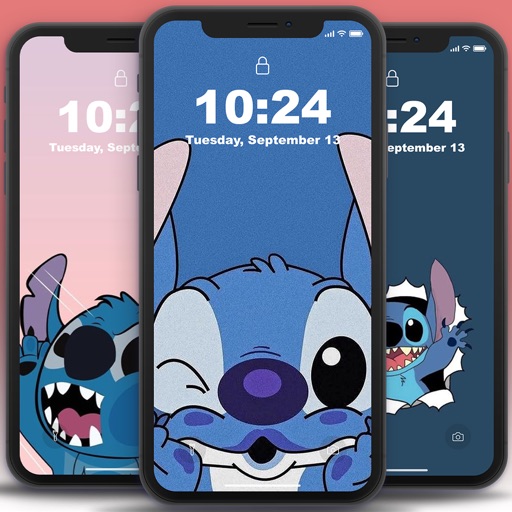
Set kawaii wallpapers as home and lock screen backgrounds. Choose from a collection of soft, colorful designs. Customize dimensions for different screen sizes. Save and apply selected wallpapers instantly.
Customize lock screen with interactive , weather, battery, and launcher options. Add dynamic island with pets and plants. Choose from 1000+ 3D space wallpapers and themes. Enable liquid glass effects and dynamic control center customization.
Customize iPhone and iPad Home and Lock Screens with , live wallpapers, and icons. Create custom wallpapers, , and . Apply coordinated instantly. Add interactive and dynamic backgrounds.
Customize device appearance with iOS 16 inspired icon packs and Full HD/4K wallpapers. Personalize Home and Lock screens. Access regular updates of minimal, modern, artistic, and trending designs. Apply themes quickly for a smooth user experience.
View underwater scenes with animated sharks, clownfish, and blue tangs. Swipe to explore live . Save favorites to Camera Roll and set as lock screen. Tap screen to interact with animations.
Customize lock screens, icons, charging animations, and widgets. Choose and personalize watch faces. Adjust settings to reflect personal style and enhance device appearance.
Optimized for iPhone models from SE to Pro Max. Categories include seasonal and limited edition options. Preview on lock and home screens. Download with one tap. Features daily updates and 20+ featured options.
Change home screen and lock screen appearance with customizable , icons, and wallpapers. Select from themed icon packs and professional designs. Apply themes to both home and lock screens for a cohesive look.
Customize iPhone home and lock screens with high-definition , depth effects, and . Add widgets and charging animations. Choose from aesthetic themes and shuffle options to replace low-resolution photos.
Set live with motion effects and animations. Choose from various like aquariums, beaches, and geometric patterns. Customize lock screen appearance. Apply through a simple swipe interface.
Customize phone lock and home screens with icons, , wallpapers, and widgets. Add widgets for quick access to information. Use StandBy mode to display widgets and have a digital pet on the screen. Personalize device appearance and functionality.
Set animated as lock screen backgrounds. Choose from available animations. Save directly from the . Use 3D Touch on lock screen to preview animations. Works on specified iPhone models. No ads included.
Set home and lock screen with high-resolution images. Choose from static and animated options. Customize wallpaper settings for optimal display. Share via social media or messaging.
Wallpaper+ allows users to set and customize high-definition wallpapers. It offers a variety of -themed images across different styles. Users can browse and select wallpapers for their device screens.
Customize home screen with animated artwork, 3D and depth effect wallpapers, and liquid glass themes. Apply depth effect wallpapers optimized for OS 26. Choose from various depth and glass textures. Set dynamic preferences.
Customize , Lock Screen, and Home Screen with unique . Add Themes and Widgets for enhanced visual appeal. Choose from trending designs to personalize iPhone appearance.
Customize iPhone and iPad home screens and lock screens with wallpapers, widgets, and icons. Create AI-generated DIY wallpapers and apply theme-based designs. Change icons and layout in one action.
Create custom with editing tools. Choose from and 4K backgrounds. Design cohesive themes for home and lockscreen. Add widgets and animations. Export and set as wallpaper directly.