Record videos with manual controls for exposure, shutter speed, ISO, white balance, focus, zoom, frame rate, quality, resolution, and aspect ratio. Save and share videos via iTunes, Airdrop, or other transfer methods.
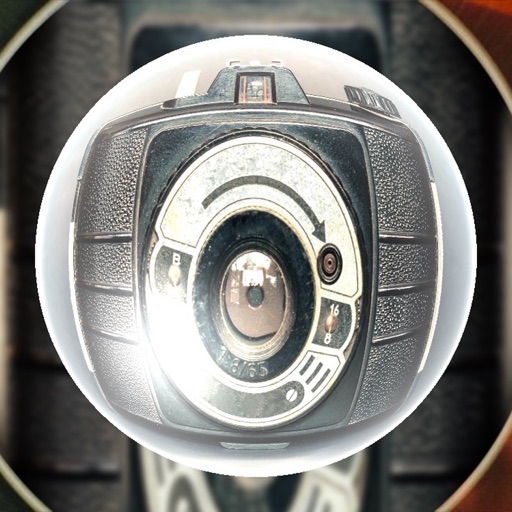
Allows users to shoot photos and videos with 30+ simulated cameras, each replicating the color and texture of classic cameras. Users can apply unique styles to existing media or shoot directly.
Take high quality photos and videos using triple and dual systems. Adjust exposure and use 10x zoom for both photos and videos. Record HDR videos with real time zoom and smooth focus. Switch between lenses automatically or manually.
Use to create trippy photos by swiping to in real time with 40 3D templates. Apply 10 film effects and choose funny dance or rock modes. Capture photos and videos in square or rectangle formats. Save high-resolution images to roll.
Access and control your home camera network securely through a single interface. View live feeds, navigate camera layouts, and manage camera settings remotely. Connect to a running instance via a secure session-based protocol.
Create professional ID photos for passports, visas, student IDs, and more. Choose background color, select size, and capture in three steps. Export high-resolution images for free without any purchase.
Connect to iOS device camera for live streams and meetings. Use manual controls for settings. Draw and add text via voice on video feed. Pause video to annotate. Stream via USB, HDMI, or AirPlay to Ecamm, OBS, or Zoom.
Capture photos in and with real-time contrast and exposure adjustments. Preview high-key or low-key effects in the viewfinder. Use Zen mode to focus on composition without technical distractions.
Edit photos and videos with manual controls and custom film emulation. Adjust color and exposure settings. Support external drives for storage. Capture in professional formats. Manage advanced workflows with separate photo and video settings.
Control the quadcopter via Wi-Fi using a joystick or gravity感应. View real-time camera feed, capture and review photos and videos. Enable automatic flight paths, voice commands, and gesture controls. Support VR mode for immersive viewing.
Convert iPad with USB-C to portable monitor using capture card for content creation and gaming. Enable internal capture for versatile video recording with adjustable resolution and frame rate.
Allows users to capture photos with a minimal yet powerful interface. It includes manual controls for exposure, focus, and white balance. Users can edit images with advanced tools like color grading, adjustment layers, and masking.
Enhance quality with AI-powered upscaling. Convert 480p to 1080p or 4K. Reduce noise and grain. Adjust brightness, contrast, and saturation. Smooth motion in fast scenes. Restore old videos for better clarity.