

Apps Like Note Always PDF for iPhone and iPad
Note Always PDF screenshots
Ranked alternatives
Showing 121–140 of 1,000 ranked alternatives.

Epson iProjection
Seiko Epson Corporation
Mirror screen and project content wirelessly
Mirror device screen and output audio to a supported projector. Project photos from the Photos , documents within the , and real-time camera video. Connect by scanning a projected code.

CatCarpPaper
依雯 黄
Digitize notes, organize ideas, and sync across
Organize notes with customizable pages and sections. Import PDFs and images. Highlight text and add annotations. Search notes by keyword. Sync across devices and share notes via email or cloud.

Quick Board - Simple Memo Pad
Jammsworks Inc.
Write, draw, and erase notes easily
Note-taking allows users to write notes with handwriting or keyboard input. Customize pen color and size. Undo mistakes with a single tap. Count characters in notes. Edit, add, or delete memos as needed.


Blackboard - Simple
Ryouhei Azuma
Draw and save images in real time
Write on a -style canvas using white and red pens. Draw or take notes with multi-touch support for multiple users. Save images directly from the .

ProValet Technician
PURE COASTAL DEVELOPMENT LLC
Schedule service calls and dispatch technicians
Schedule and dispatch field service jobs with real-time tracking and route optimization. Monitor availability and location. Check in/out with timestamps. Record custom chemistry readings. Centralize communication and job details within the .

PDF Cabinet
Bright Nine SIA
Effortless PDF annotation and collaboration tools.
The app offers effortless PDF annotation with an intuitive interface. It provides fast document review using a thumbnail sidebar and supports sharing annotations with other users.



Boogie Board Sync
Kent Displays, Inc.
Connect sync and become more productive.
The app automatically downloads new pages from the Boogie Board Sync. Users can view, delete, organize pages into notebooks, and search for them.

Mega Voxels
Go Real Games, LLC
Create 3D pixel art and share it
Create 3D pixel art and voxel art using a full-featured voxel editor and pixel art editor. Use dozens of tools and brushes for block building, including pencil, bucket fill, and magic. Share creations via photos and videos.

Defter Notes
Deft Works ApS
Organize , sketch ideas, and refine thoughts
Create with an infinite canvas for spatial thinking. Draw connections between ideas. Organize content through hand-drawn sketches and text. Export in multiple formats and share directly.

Write notes on the screen
Alejandro Melero Zaballos
Record and stickies anywhere
And create sketches or doodles with customizable colors and typography. Use pencil, pen, or brush tools. Choose from textured, staff, grid, or blank backgrounds. Share through any phone program. Vote for improvements.

Noto - Elegant Note
Soysauce Lab
Edit text with bold, lists, and attachments
Edit text with formatting options like bold, italic, and lists. Attach unlimited files including images, videos, and tables. Use dark mode and iCloud sync. Organize content with gestures and drag reorder. Export to HTML, Markdown, PDF, and JPG.


Score Keeper Point Counter
Natalia Jakubczyk-Gajewska
Track scores and display results visually
Track game scores with customizable scoreboards. Create multiple boards with team names and colors. Set increments and large fonts for visibility. No ads. Monitor progress across different games.

Pixel art editor - Dottable -
Yosuke Seki
Create art with layers and colors
Create art with layer editing, color customization, and drawing tools. Add, delete, and copy layers. Adjust colors and save projects. Requires over 300MB free storage to create new projects.

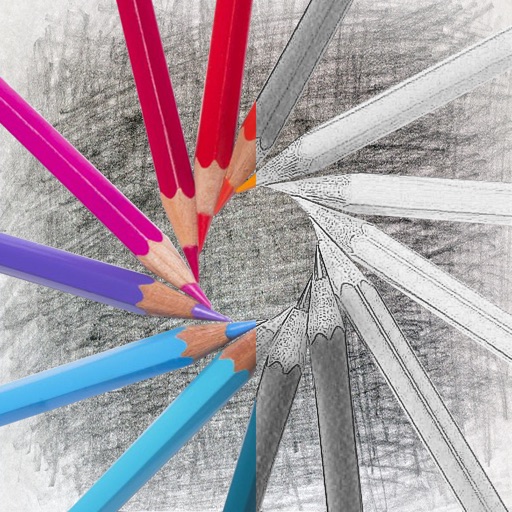
Photo Sketch & Pencil Sketcher
永亮 潘
Photos with drag-and-drop
Convert photos into sketches with tone drawing engine. Adjust pen color, size, and background. Generate strokes with transparent backgrounds. Save sketches in original size and colorize with original colors.
How we rank alternatives
Apps are ranked by functional similarity, category fit, rating confidence, and popularity.