Capture photos of the moon by aligning the camera manually. Adjust moon size with two fingers. Tap to autofocus or manually adjust focus. Modify brightness using +/- buttons for better detail. Press the circular button to take a photo.
by ZIZICICI LIMITED★ 4.437 ratingsPhoto & VideoFreeData updated 2026-09-06
Correct underwater photos and videos by adjusting color tones with a single tap. Transform dull blue-green hues into natural, vivid colors. No account needed. Access example media in the help section.
Edit photos with AI art style transfer and realistic filters. Add beautiful frames and apply FX or blur effects. Turn portraits into canvases or cartoons with magic effects. Use lens tools for lighting and adjust colors manually.
Provides daily based on location and date. Users can track Ramadan dates, fasting hours, and Quranic recitations. The includes a Quran reader with translations and audio, and allows users to set reminders for prayers and fasting.
Explore celestial objects with interactive star maps and detailed information. Identify constellations and planets. View historical and cultural facts. Set location-based sky views and track celestial events.
Explore celestial objects with an augmented reality interface. Point your device at the sky to view stars, planets, and constellations. Learn about astronomical data and history. Save and share observations. Sync with real-time sky maps.
Play turn-based strategy games using a grid of colored tiles. Swap tiles to form lines of four or more to remove them and score points. Compete against AI or other players online. Track progress and unlock new challenges.
Offers DSLR-level photography with P and M exposure modes. Adjust shutter speed and ISO manually or automatically. Access film simulation settings for grain texture and contrast. Capture high-quality photos with mirrorless-level controls.
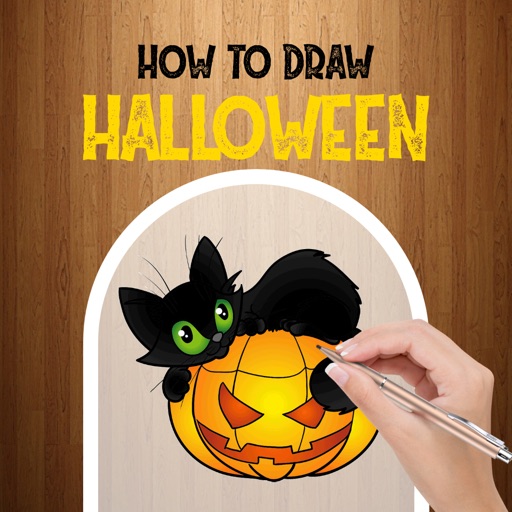
Learn to -themed characters with step-by-step tutorials. Choose from options like Lady Vampire, Zombie, Tattoo Skull, Jack Skellington, Chibi Death, and Grav. Follow illustrated instructions to create each design. Save or share completed drawings.
Create artistic images with single-tap camera effects and professionally designed filters. Adjust brightness, contrast, and tone curve. Blur and focus images. Rotate, crop, and resize photos. Add text and fun stickers.