Photo allows users to edit images by removing backgrounds. Users can select and isolate subjects. The supports offline processing. No online tracking is involved. Export edited images in various formats.
by Laszlo Tuss★ 4.8115 ratingsUtilitiesFreeData updated 2026-09-06
Edit photos, remove backgrounds, generate new ones
Remove photo backgrounds using AI-powered tools. Edit or replace backgrounds with new ones. Export as high-quality PNG images. Share edited photos directly.
With Hi-Def, Scenery, Food, Portrait, and Night modes. Apply over 100 free and purchasable filters. Add stickers, frames, and overlays. Remove red eye and blemishes. Whiten teeth and adjust color with Splash. Enhance sharpness and draw or add text.
Edit photos with AI-powered enhancement, restoration, and colorization. Remove unwanted backgrounds and repair scratched images. Save and share edited photos in various formats.
Auto-focus and exposure adjust automatically for portraits. AI enhances depth and background blur. Use Photo Coach for real-time guidance on composition and technique. Edit photos with filters, cropping, and adjustments.
Upload and edit photos with options to choose format, color, and gradient colors. Add multiple images and post full-size photos to Instagram without cropping. No watermark included.
Remove backgrounds from photos using AI to detect and isolate objects. Change backgrounds with gradient options or custom colors. Save edited images to the photo library and share them on social media.
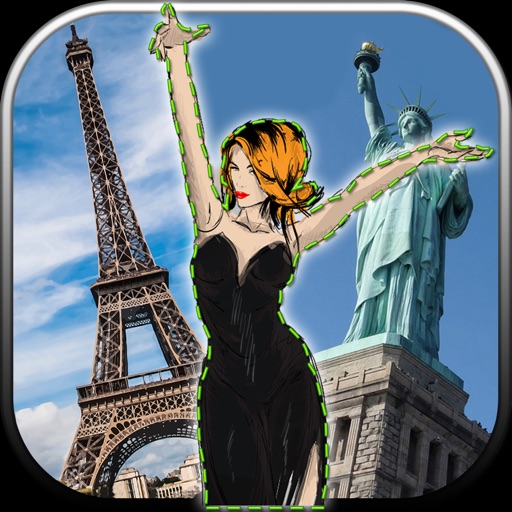
Edit photos by removing unwanted backgrounds and replacing them with scenic images. Cut out subjects and paste them onto new backgrounds. images for seamless montages. Share edited photos directly.
Remove backgrounds from images using AI technology. Edit and generate new backgrounds. Create transparent images for social media, e-commerce, and design projects. Tap to remove backgrounds automatically.
Remove backgrounds from photos with AI-powered detection. Select transparent, white, or custom backgrounds. Edit images by removing people, faces, products, animals, text, and objects. Export edited images in various formats.
Remove unwanted objects, people, or backgrounds from photos using AI. Tap to erase clutter or clothing elements. Edit and save modified images directly.
Remove from photos and videos automatically. Edit the color or upload a new image. Export edited media in original format. Share directly to social platforms.
Edit photos by removing backgrounds and erasing objects with AI-powered tools. Adjust edges for sharp subject clarity. Save and share edited images directly. Enhance images for social media, online shops, or creative projects.