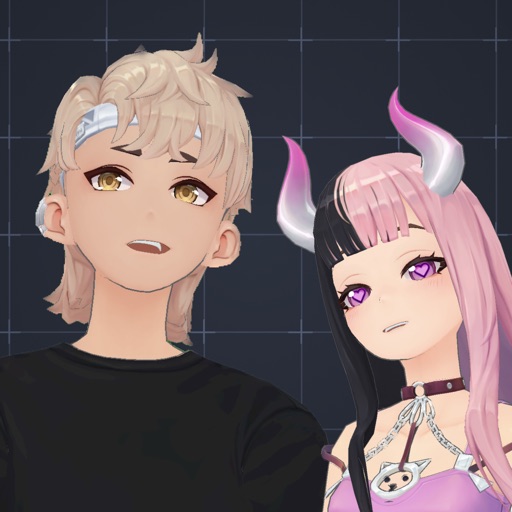
Create and share AI-generated anime video clips. Record videos with a timer. Export clips for Instagram, Telegram, or TikTok. nimations using AI technology. No data collection during video creation.
by Diana Arustamyan★ 0.00 ratingsEntertainment$0.99Data updated 2026-09-06
Receive breaking news alerts with live video updates and on-demand clips. Access interactive traffic maps, accident alerts, and live camera feeds. Get full coverage of pro and college sports teams.
Create and customize 3D avatars using built-in tools or imported VRoid files. Record and stream content with real-time facial and hand motion capture. Share videos directly to TikTok, Twitch, Twitter, or other platforms.
Create short-form videos and looping clips using text prompts. Generate cinematic videos with AI styles like neon, glitch, parallax, handheld, and time-lapse. Export in creator-ready formats. Preview videos in AR. Edit and refine generated content.
And TikTok videos in HD quality. Organize and plan videos for better visibility. Access real-time analytics and trending hashtags. Create collections and manage video popularity metrics. Share saved content directly to social media platforms.
And edit videos and photos in any size or ratio quickly. videos to format with pinch, zoom, and drag features. Add keyframes for creative control. Adjust speed, apply slow motion, reverse, or freeze frames. Resize, rotate, and fill backgrounds.
Create video reels using templates and custom transitions. Trim clips and add text, GIFs, and music from a large library. Include stock photos and videos. Export and share high-quality videos directly to social media.
Find wallpapers, avatars, memes, and videos focused on anime. Browse curated images and videos for desktop or mobile. Download and set wallpapers. Share memes and avatars. Access exclusive content through subscription.
Record videos with real-time old film effects. Apply vintage styles to existing videos. Edit video FPS and resolution. Manage video files and apply effects to professional clips.
The app offers video editing tools for creating professional quality videos. Users can fine-tune visual effects, adjust playback speed, stabilize footage, and add images and audio.
The app records voice memos that can be played back at different speeds. Users can combine voice clips with images, add text, and export the result as a video for sharing.
Customize iPhone lock screen with 3D , liquid light-reactive effects, and AI-generated designs. Choose from daily updated themes including nature, neon, and anime. Apply HD and 4K compatible with all iPhone models.
Create digital art with drawing, coloring, and animation tools. Use versatile templates for Anime, Animals, Flowers, Landscapes, Mandalas, and more. Access dual drawing modes for layered artwork.
Create movies by combining short and rearranging them. Add multiple texts and background music from the or your own files. Adjust brightness, contrast, exposure, hue, and sharpen settings for each clip.
Live matches with court cameras and access full games anytime. Create highlight clips by selecting key moments. Review game points instantly using replay tablets. Save and clips directly with friends.
Create art by drawing on pages with customizable brushes. Choose from 10 brush types including oil, chalk, and watercolor. Paint detailed images of princesses, animals, dinosaurs, cars, and planes. Save and share finished artwork.
Create 15-second video segments from longer clips for Instagram . Automatically split videos into sequential segments. Support landscape orientation to avoid cropping. Import video, process segments, and export for sharing.