View DWG, DXF, and MacDraft files locally without size limits. Annotate with text tools and export as PDF. Share or print documents. Collaborate with team members by viewing and annotating files directly.
by Microspot Ltd★ 0.00 ratingsGraphics & Design$29.99Data updated 2026-09-06
Edit and annotate PDFs and Microsoft Office files with commenting, highlighting, and form filling. Collaborate in real time with secure file sharing. Access documents offline and sync changes when connected.
Manage projects and sites with organized task tracking and location hierarchy. Log , conduct inspections, and create punch lists. Monitor progress and streamline workflows for improved supervision and efficiency.
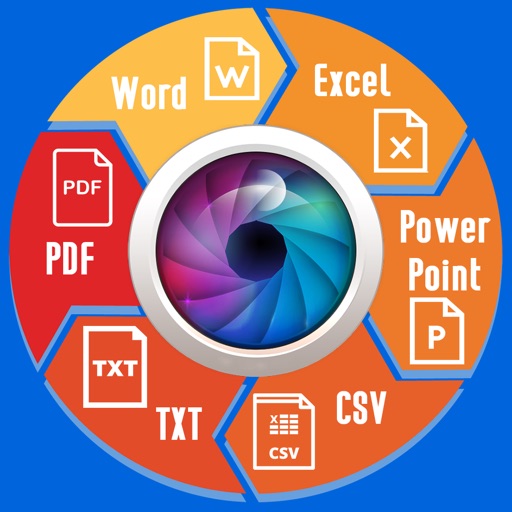
Extract text from scanned images and convert to Word, Excel, or PDF. Edit extracted content in Word or Excel. Convert tables and format from images to Excel or Word. Save as text files or PDFs. No registration required for conversions.
The app allows users to view, download, and share files from their Backblaze Personal Backup account. It supports Face ID login and provides thumbnail previews for image files.
Scan documents with camera to create PDFs. Add signatures, edit, highlight, or annotate content. Share via Mail, Messenger, AirDrop, iCloud, or other apps. PDFs include selectable and searchable text. Offers competitive pricing model.
Edit and navigate handwritten documents with vector drawing tools. Organize files using Apple's document browser. Sync with iCloud and other cloud services. Save in open SVG format for compatibility with other vector graphics software.
Add handwritten annotations with 8 pen styles, color options, and adjustable thickness and opacity. Include text annotations with customizable fonts, colors, and sizes. Insert images as annotations. Share the annotated movie directly.
Convert documents, receipts, and notes into high-quality PDFs with scanning and editing tools. Print files, photos, and other content directly from iOS devices to compatible printers. Share scanned documents and PDFs via email or messaging.
Manage and organize with copy, paste, rename, and move functions. View images, videos, audio, text, HTML, Microsoft, Apple iWork, and PDF . Share via dynamic iTunes folder or email attachments. Supports iPhone, iPod touch, and iPad.
Print documents and photos wirelessly from iOS devices. Connect to HP, Canon, Brother, Epson, and Jadens printers via AirPrint or . Scan documents directly from the . Share printed files via email or cloud services.
Manage files on with fast page turning and content scanning. Annotate documents with finger-writing. Email notes to friends. View and organize PDFs efficiently.
View cutting diagrams, parts lists, and bill of materials from your computer. Check boxes to track completed cuts, purchased materials, and finished parts. Only allows viewing of files created on the device.
The app calculates network, host, and directed broadcast addresses. It features a dedicated keypad, pickers for subnet mask and prefix length, and a binary digit view.