Provide , fonts, textures, stickers, collections, 3D models, and palettes for digital art creation. Import assets into . Access new releases every Thursday. Organize and customize artwork with included tools. Share finished projects directly.
Create digital art with 105 tools including pens, pencils, and brushes. Import and edit photos. Add text and rotate elements. Customize brush settings. Use customizable canvases. Save and share artwork.
Games allow users to select color by number puzzles and images by tapping colors. Features include on pages, recoloring existing artwork, and saving progress. Users can access pixel art books and sketch freely without internet connection.
Provides brushes, fonts, digital fashion, stickers, textures, 3D models, and color palettes for . Includes AI references and anime brush sets. Offers for customizing and enhancing creative projects. Syncs with on iPad and Pocket.
Create and edit digital art with brush tools, layers, and blending modes. Import and manipulate images. Save and export in various formats. Sync files via iCloud Drive. Support Apple Pencil for precise drawing. Render graphics using GPU acceleration.
Edit photos with AI-powered filters and neural network enhancements. Apply artistic styles to create paintings. Export in 64 megapixel lossless format. Print artwork on canvas, T-shirts, or comic books.
Create and edit digital art with layers, brushes, and customizable tools. Import and export files in various formats. Access cloud storage for file syncing. Subscribe for additional features and materials. Save and export work after trial period.
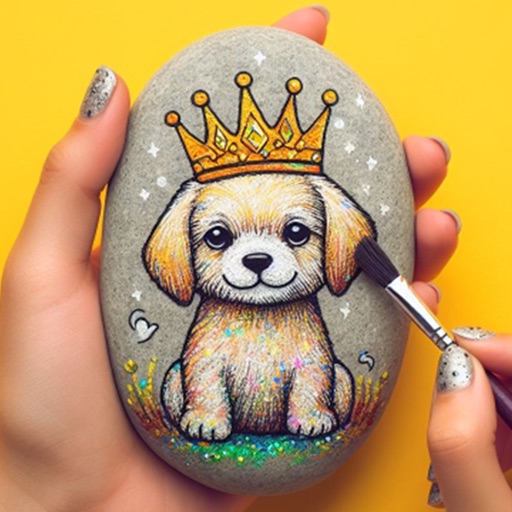
Within 3D rocks featuring realistic textures and vibrant colors. Choose from various themed designs. Apply custom colors and patterns. Save and share completed artwork. Adjust lighting and perspective for detailed viewing.
Create vector art using Bézier tools and Apple Pencil. Convert sketches or photos to SVG format. logos, icons, illustrations, and UI assets. Export vector files for production use. Refine curves and edit vector drawings directly.
Create color schemes using a fast generator. Organize palettes into projects and collections. Export as image or PDF, or share via link. Select colors from photos. Choose layouts to create collages with photos and palettes.
Transform photos into , oil, digital, or contemporary art styles. Apply artistic effects with one tap. Adjust brush size, color, and texture. Save and share edited images directly.
Create sketches and drawings using built-in brushes and canvases. Trace real-world images with AR technology. Save and share artwork directly. Adjust brush size and opacity for detailed work. Import images to base drawings on.
Create gallery-style portraits from images using automatic painting tools. Add color, light, and texture for realistic effects. Choose between classic-style brushes or modern-colored options. Save and share finished artworks.
Detailed artwork with customizable brushes and specialized toolsets for sketching, painting, and doodling. Access advanced AI features to enhance creative workflows. Export and share finished projects directly.
Convert photos and videos into paintings or hand-drawn animations using AI. Apply sketching or painting styles with adjustable textures. Save the artwork process as a video. Choose from five standard art tools.
Create gallery-quality displays by adding frames, inner and outer mats, and scenes. Choose from 200+ frames, 300+ mats, and 1000+ scenes. Adjust layout and preview final design before exporting or sharing.