Create lock screen wallpapers by shuffling or selecting photos from the camera roll. Automatically generate beautiful collages. Set as wallpaper directly from the .
by Wellnest, Inc.★ 4.17 ratingsUtilitiesFreeData updated 2026-09-06
Customize device appearance and functionality with . Add dynamic home screen and lock screen . Choose from horoscopes, countdowns, and other themes. Adjust layouts and styles to match personal preferences.
Customize home screen with time, calendar, clock, and system info . Add transparent for better wallpaper integration. Enable standby mode for . Choose from updated home screen .
Share food photos from your camera roll to inspire others. Upload images of meals, desserts, or local finds. Browse nearby restaurants and hidden eateries. Connect with food enthusiasts in a community-focused .
Set with high-quality 4K images tailored for and . Preview on home and lock screens. Apply blur or blackout effects. Choose from nature, cityscapes, art, and abstract categories.
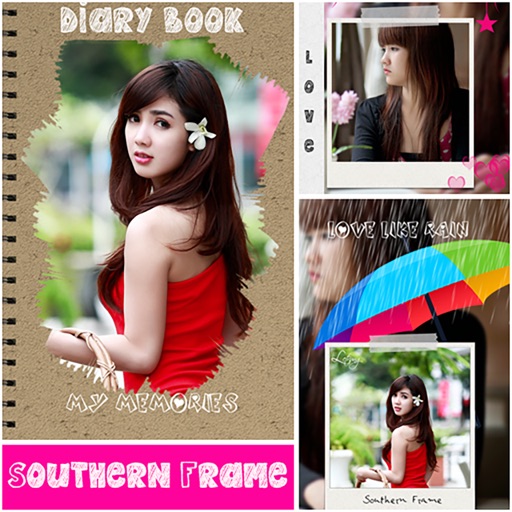
The app allows users to enhance photos with over 45 colorful and beautiful frames. Users can capture photos instantly, adjust pictures within frames using multi-touch gestures, and save them to their Photo Library.
Organize and delete photos and screenshots by month. Filter and select which images to keep or remove. Share selected photos directly. Clean up without ads or interruptions.
Create dynamic using AI-generated art based on user descriptions. Convert videos, GIFs, or Live Photos into seamless loops. Choose from motion backgrounds like calm loops, anime-style scenes, or 4K cosmic themes.
Choose a custom image for your iPhone or iPad lock screen and home screen. Access 40+ stunning . Discover additional wallpaper sources within the . Make permanent one-time purchase with Family Sharing enabled.
Browse and select high-quality static images and live videos as Apple wallpapers. Organize content into categories. Customize based on personal preferences. Sync wallpapers directly to Apple .
Reminders "Set motivational as widgets on home screens. Save as wallpapers or share via social media. Access an infinite feed of self-development . Customize reminder frequency and notification settings."
Edit photos with one-tap tools including Gaussian, zoom, and motion . Adjust brush size and apply glass, crystalize, or pixel effects. Save edits in low or high resolution to camera roll.
Split into horizontal slices for social sharing. Select images from the camera roll, set slice points, and preview adjustments. Post directly to Instagram, Twitter, or other platforms.
The app generates collages from both wide-angle cameras. Images are automatically rotated correctly and saved to the Photos app for further editing and sharing.