Apps Like Magic Eraser -Remove Any Thing for iPhone and iPad
Remove background with one tap
Remove backgrounds and unwanted objects from photos and videos using AI. Tap to remove backgrounds, swipe to erase objects. Edit media quickly with precision. Export edited content directly.
by Polymath Company Limited★ 4.428 ratingsGraphics & DesignFreeData updated 2026-09-06
Perform one-click matting for intelligent background removal and hair-level precision. Use smart daubing to eliminate unwanted objects. Manually adjust matting with custom brush or eraser tools. Export edited images directly.
Images using adjustable strength and soft/hard brushes. Remove stains and defects from photos. Enhance images with high-resolution editing and zoom. Apply focus to hide unwanted details. Offset wrist to avoid finger obstruction during editing.
Add sparkle and glitter effects to and videos. Upload images from the gallery or capture new ones. Apply light effects to reflective objects. Record videos, add or remove audio, and apply real-time glitter effects.
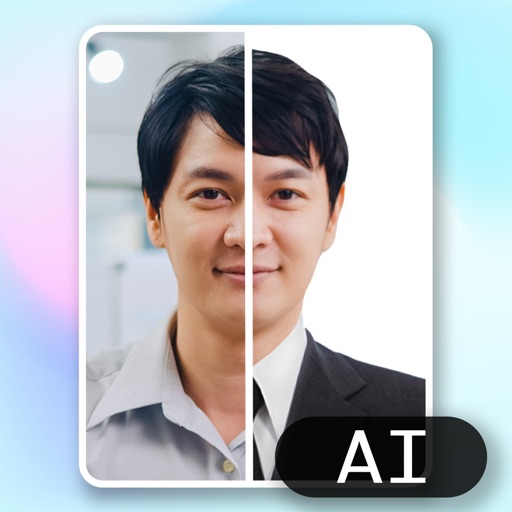
Create ID photos using AI to remove backgrounds and add formal clothing. Edit images directly on your phone simple tools. Save and share the final result.
Edit photos with depth-based bokeh effect for professional portrait blur. Restore old or damaged images with enhanced clarity. Remove unwanted objects from photos. Adjust colors, brightness, and contrast. Export edited photos in various formats.
Remove unwanted , people, or clutter from photos using AI-powered tools. Edit images by erasing specific elements and refining edges. Save and share edited photos directly.
Create photo collages and composite images using multiple layers. Remove unwanted areas with the background eraser tool. Adjust color tones and export edited photos in various formats.
Objects, people, blemishes, and pimples from photos using AI-powered erasing. Edit images by selecting areas to . Save and share modified photos directly. Subscribe to access advanced erasing features with automatic renewal.
Edit photos by removing objects and changing backgrounds. elements to create montages. Adjust transparency and replace backgrounds. Save and share edited images directly.
Remove backgrounds or objects using AI by adding a and tapping "remove." Adjust the new background to a custom color, white, another image, a gradient, or a preset. Add text, shapes, and photos to the edited image.
Backgrounds from photos for professional product images. Apply pre-designed templates for shopping. Add stickers and create collages for social media platforms. Export edited images directly.
Remove unwanted parts of photos using AI-powered erasing. Add colors or images to create new backgrounds. Crop, draw over, and undo edits. Zoom for precision and blur edges. Save and share edited photos.
Enhance photos with AI-powered adjustments. Improve facial details and skin texture. Remove scratches and restore old images. Compare before and after edits. Save and share edited photos.