Apps Like Celebration Video Maker for iPhone and iPad
Create animated videos from photos and numbers
Create animated videos using screenshots and social metrics. Add text, transitions, and music. Export and share videos directly. Track follower growth and milestones visually.
by Vladimir Ivakhnenko★ 0.00 ratingsPhoto & VideoFreeData updated 2026-09-06
Create a Video by requesting and collecting video clips from others. Combine clips into a personalized video gift. Share via email or social media. Create and manage Shared to store and view photos and together.
Capture photos, create time-lapse videos, make animated
Take to create a photo journal. Make time-lapse videos and animated GIFs from photos. Backup and sync images via Dropbox. Tag photos with locations using Swarm.
Create videos from photos with animated collages and layouts. Resize for social media. Add effects, stickers, filters, and fonts. Choose from thousands of layouts and effects. Design moodboards and mix content for unique, shareable videos.
Add to videos automatically. Upload a video and generate captions instantly. Remove background noise and enhance audio clarity. Export high-resolution videos for social platforms. Share videos with silent audio options.
Add photos or videos to generate relevant hashtags, captions, and SEO-friendly titles. Analyze content for niche-aware tags and create scroll-stopping captions. Integrate with social media platforms for direct publishing.
The app offers follower management, engagement analysis, and content strategy optimization for Twitter accounts. It provides in-depth analytics, follower tracking, and profile change insights.
Convert static images into dynamic videos using generative AI. Add text to images for visual storytelling. Apply trending AI presets to enhance creativity. Edit and export videos directly from the .
Create audiovisual content by importing from Files, SoundCloud, or video recordings. Customize visualizers such as audio spectrum, waveform, and synthwave sun. Add text, images, and gradients to videos.
Create slideshow videos by selecting templates, adding photos or videos, and applying transitions, animations, and effects. Customize with stickers, fonts, and music. Share directly to social media platforms or save to camera roll.
Create videos using photos with transitions, zoom effects, and background music. Add text overlays and edit timing. Share finished videos directly to social media or messaging apps. No photo limits or premium features required.
Create retro-style art with filters, color overlays, and glitch effects. Adjust brightness, contrast, and saturation. Add text, stickers, and pixelation. Export images in various formats and share directly.
Create videos from photos automatic styling and customization. Add stickers, text, and frames. Choose animation modes and apply filters. Share the final directly.
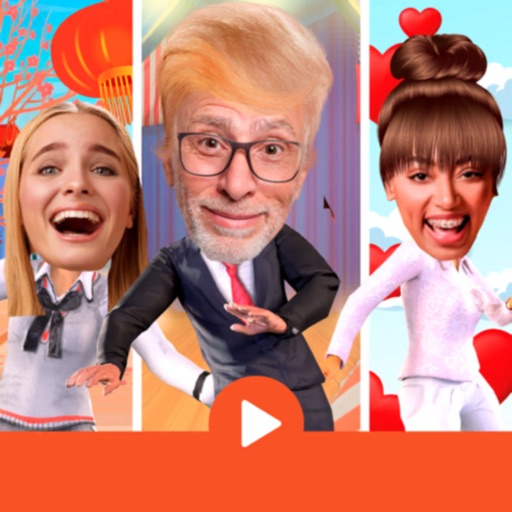
Create 3D animations by swapping faces into dancing scenes. Select a scene, place your face in a designated area, and animate. Export and share videos. Supports special occasions and holidays. Add text and stickers.
The app transforms static photos into 15-second animated videos. Users can create cinematic motion with drag-and-drop controls and add decorative frames.
Create videos using pre-designed templates with animated effects and flashy transitions. Add text, music, and filters. Edit clips, adjust timing, and apply transitions. Share finished videos directly to social media.
Teachers can share daily learning updates with families through a private classroom. Invite families via class code to access daily stories and class activities. Capture and post highlights from lessons, experiments, and field trips.