Create slideshows and compilation videos by selecting media files. Crop video clips to desired lengths. Add background music and overlay text. Export final videos in supported formats.
by Benjamin Barnett★ 5.01 ratingsUtilitiesFreeData updated 2026-09-06
Edit videos by cutting, combining, captioning, overlaying, and animating. Use AI tools for auto captions, text-to-speech, music match, and noise removal. Supports 4K at 60FPS. Remove backgrounds and upscale videos with AI features.
Edit videos with AI-powered Jumpcut for automatic trimming and pacing. Add transitions, text, and stickers. Export in multiple formats and share directly. Sync with social media platforms for quick publishing.
Create slideshows by combining clips, live photos, and images into videos. Add transition effects and background music. Share directly to TikTok, YouTube, WhatsApp, Facebook, and Instagram.
Create animations by capturing sequential photos. Add text and images to enhance video content. Include sound with text-to-speech options. Apply various filters for visual effects. Use voice-activated shooting to trigger camera captures.
Create slideshows by selecting images from the photo library. Add music from Apple Music or the 's library. Apply filters and special effects to photos. Include text, emojis, and adjust length.
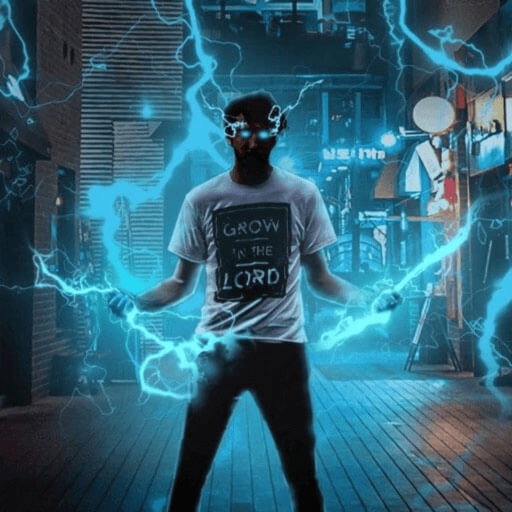
Record and edit videos with visual and templates. Add elements like dragons, magic circles, and space scenes. Include such as fire, laser, and lightning. Export and share edited videos directly.
Add to photos and videos by selecting audio files. Adjust timing to match media length. Export combined files and share via social media or messaging apps.
Record HD videos and movies. Apply filters and effects. Crop and rotate videos. Adjust contrast, saturation, brightness, and temperature. Fine-tune colors and create custom filters. Use presets. Export in high resolution. Share videos directly.
Create intros and openers with pre-made and customized templates across categories like inspirational, social media, sports, and video games. Use images or videos, edit text and fonts, add music or voiceovers. Export final videos.
Create collages with adjustable layouts and customizable frames. Crop, filter, and adjust speed. Add background music and preview instantly. Export in high resolution and share directly.
Create videos from photos and clips for events like birthdays and holidays. Add animated collages, AI-generated stickers, and smart transitions. Automatically generate slideshows with transitions. Share finished videos directly.
Record content with one tap, including apps, games, and tutorials. Live stream to YouTube, Facebook, and Twitch with phone and camera. Add face-cam reactions and audio commentary. Trim, crop, and merge video clips.
Play and manage videos in various formats including 3GP, AVI, FLV, M4V, MKV, MOV, MP4, WMV. Automatically detect and organize files. Edit videos by merging, splitting, adding filters, and converting to MP3. Create GIFs from clips.
Apperto Bilgi Teknolojileri Ticaret Limited Sirketi
Create videos, stories, and reels quickly
Create videos, stories, and reels with drag-and-drop tools and pre-designed templates. Add text, stickers, and music. Export in various formats and share directly to social media platforms.
Create videos using pre-designed templates and custom editing tools. Add text, music, and transitions. Export in various formats and share directly. Import photos and videos from device storage. Adjust timing and effects for professional results.
And customize videos by trimming, cropping, rotating, and merging clips. Overlay videos to create introductions. Save edited videos to the photo library and rename or group them for organization. Share finished videos with friends.
Create -to- slideshows with cinematic transitions. Add text, stickers, and music using an intuitive timeline. Edit frames precisely. Layer music, sound effects, and voice-overs. Adjust speed per frame. Add background images.
AI-generated videos and images from single photos. Upload selfies or portraits to create dance videos using TikTok-style templates. Convert photos into AI videos or studio-quality portraits. Edit and export final outputs directly.
Create videos by combining photos and videos. Trim and merge media files. Add background music and transitions. Apply filters to enhance videos. Import from photo library. Share on Facebook, Instagram, YouTube, and email.