The app allows users to create personalized notepads with various design styles. Users can attach photos, maps, and voice memos, organize notepads into categories, and protect their notes with passwords.
Store passwords, IDs, memos, and images securely. All data is encrypted with AES. Auto-lock and clear clipboard upon exit. Access data offline without internet connection.
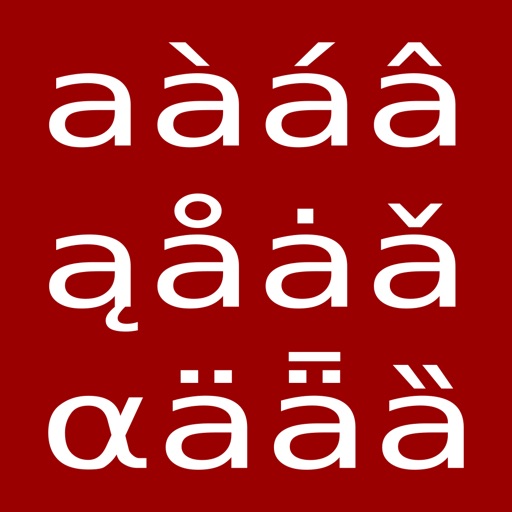
The app provides a large database of Unicode characters, supporting the latest standards. It features customizable keyboards for use across iOS apps, bundled and importable fonts, and tools for browsing, searching, and copying characters.
Create and edit notes with customizable icons and titles. Search for specific entries. Insert images into notes. Share notes via supported methods. Store data locally without external sharing.
Create maps with drag-and-drop editing and customizable styling options. Adjust fonts, colors, and shapes. Insert and crop images with filters. Share mindmaps via social media, .mmx files, or PNG images. Sync files across devices using iCloud.
Plan and visualize formations with real-time collaboration across devices. Animate transitions in 3D for realistic stage previews. Sync movements to music with precise count alignment. Share and edit choreography instantly with team members.
Manage tasks with unlimited folders and color-coded organization. Sort folders and view task counts. Add multiple tasks at once, check them with a tap, and automatically move completed tasks the bottom.
Allows users to navigate the using gestures. right to access customisable QuickTexts. left to view emojis, including a most-used section for quick access. The standalone lets users add or modify QuickTexts and set ten function keys.
Create and organize with text, titles, and automatic date stamps. Include interactive phone numbers, addresses, and links. Add up to six photos from the camera or photo library. Use a horizontal keyboard for easier typing.
Write daily entries with unlimited access. Organize entries by folder, color, or tag. Search and filter by date or tag. Quick startup and dark mode available. All features are free to use.
Scan QR codes quickly and create custom QR codes. Edit text or URLs to generate codes. Share generated QR codes via email or messaging apps. View scanned details including text, URLs, and contact information.
Write and organize notes, to-do lists, and journals with customizable layouts. Add photos, location, and rich text formatting. Set reminders and track time. Sync data automatically and restore backups.
Read books in , azw, and prc formats with full support for styles, chapters, tables, links, and footnotes. Navigate large documents efficiently with optimized performance.
Create and manage unlimited lists, notes, and list items. Add voice-to-text input. Share lists or notes with others. Set reminders for tasks. Sort items alphabetically, by completion status, or use drag-and-drop.
View a calendar with lunar dates and event scheduling. Create and edit events with reminders and customizable ring tones. Record handwritten with adjustable stroke size, color, and kerning settings.