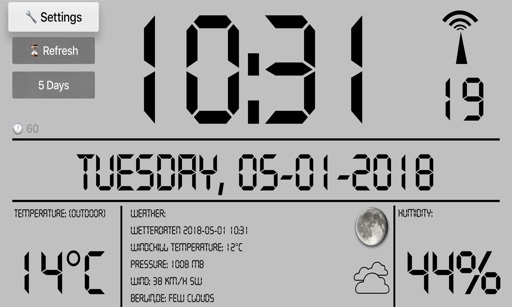
Display time, date, day name, and day part with customizable formatting. Speak time and date via on-screen button. Set auto-lock to "Never" for continuous use. Syncs with iPad settings for optimal brightness and display adjustments.
by Technology4Seniors LLC★ 4.54 ratingsHealth & FitnessFreeData updated 2026-09-06
Set alarms with customizable sound and repeat options. Choose between 12-hour and 24-hour formats. Adjust display brightness and select from multiple faces. Wake to specific sounds or vibrations. Track time with large, clear visuals.
Convert between zones by city name, zone identifier, or abbreviation. Set custom zones and add clocks for multiple locations. View current and date for selected zones. Sync with system and adjust for daylight saving changes.
Set and record custom colors for naptime, bedtime, and morning routines. Control ’s lighting to signal different times of day. Monitor usage and adjust settings through the .
A timer with customizable countdowns and visual effects. Users can double tap to access settings or trigger actions. Features include a -themed , laughing sound, color-changing , and explosion animation at countdown end.
Free requires physical movement to stop the alarm. Users set a duration between 5 and 60 seconds. The includes built-in sounds or allows music from iTunes. It functions as a nightstand alarm clock and displays the time.
Toggle iOS like brightness, flashlight, Bluetooth, and NFC with a simple interface. Choose from ten languages. Navigate device easily and customize system preferences.
Desktop displays time with a style and retro interface. Set focus mode to minimize distractions. Use countdown timer for tasks like cooking or workouts. Adjust settings for time zones and alarms.