Apps Like MGS Radio Codec Camera :iRCC for iPhone and iPad
Take parody photos with face detection
Take parody photos by detecting faces on game wireless call screens. Capture images by pressing REC and save them by pressing SAVE. Display detected faces on the screen during capture.
by Masaharu Tsukamoto★ 5.021 ratingsPhoto & VideoFreeData updated 2026-09-06
Take photos with three quality levels: medium, low, and very low. Apply 18 filters. Capture square images. Adjust saved photo quality to reduce file size. Share directly from the .
Capture photos and videos using voice commands. Take a photo, start or stop video recording, reverse the , and enable or disable the flash. Voice recognition works offline on iOS 13 and higher. Configure custom phrases for commands.
Take selfies without pressing any button. Use an for continuous shooting. Automatically organize photos into folders. Mount your iPhone and pose freely. Capture multiple self-portraits with one setup. Sync photos to social media accounts.
Create humorous videos by replacing faces in photos with your own. Record mouth movements or full face swaps. Adjust voice pitch and add music. Share finished videos with friends.
Record voice messages by pressing and holding the microphone button. Listen to recorded messages. Interact with animated panda and penguin characters. Speak to characters and receive responses. Share recordings via social media or messaging apps.
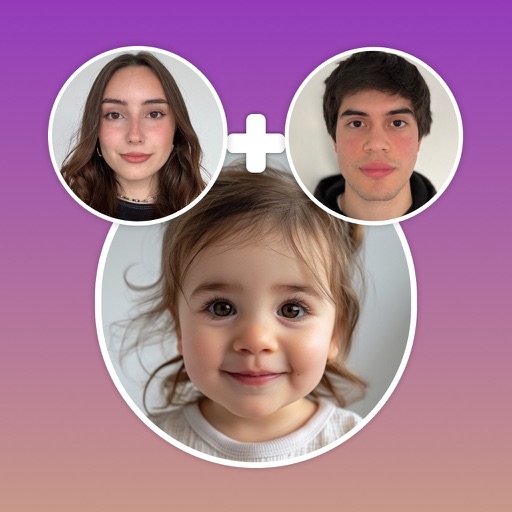
Create a custom image by selecting two parent photos and generating a . Apply filters to photos to replace faces with features. Share generated images directly.
Take photos and record live photos and videos. Capture 48MP images on compatible devices. Choose from multiple aspect ratios. Use serial shot mode by pressing and holding. Support multi- setup. Customize skin. Share photos directly via URL scheme.
Analyze faces in photos to detect age and emotional expressions. Display emotion graphs based on detected data. Share results via social media or email.
Faces between two photos by selecting them from the camera roll or camera. Process the and share the result. Use editing tools to crop, add images or text, draw, scale, rotate, and delete objects. Apply animations and customize colors.
Save videos from web pages and extract audio. Use picture-in-picture mode to watch videos in a smaller window while using other apps. Switch display modes for different viewing experiences.
Take photos of the sun safely using a camera filter. Adjust exposure settings and capture images during eclipses or bright sunlight. Share photos directly from the .
Edit photos with filters, borders, and cropping tools. Share directly to social media or print images. Access old memories and sync with compatible smartphones or tablets. Connect social media accounts for instant sharing.
Take time-lapse photos with adjustable interval settings. Create movies from captured images. Store photos directly in the . Export videos in sideways orientation. Adjust settings for photo and video capture.
Record videos with retro filter effects mimicking VHS and 8MM styles. Apply glitch effects by tapping. Save videos to phone for sharing. Choose live audio or sound options. Add date, title, and “REC” overlay. Import saved videos to other apps.
Edit photos with 60+ presets and filters including film-inspired tones, vintage looks, moody edits, and retro grain. Apply filters live during photo capture. Export edited images in various formats and share directly.
Create collages with customizable grids and multiple layout options. Add photos by selecting from camera or gallery. Adjust images using zoom and touch gestures. Change background colors or themes. Save or share collages through social media apps.
Predict future faces using AI technology. nd customize faces based on parental features. Explore multiple variations and save or share generated images.
Create and style photos with single tap effects. Apply 8 filters including , Cartoon, and Dots. Share images to social media or save to photo library. Print photos directly.
Edit photos by blurring backgrounds, faces, or specific subjects. Apply various effects and filters. Save edited images to the camera roll or share them directly.