Apps Like Profile Picture Border Editor for iPhone and iPad
Add to photos
Edit photos by adding customizable borders and frames. Choose from a variety of free frames for social media profiles. Save and share edited images on platforms like Instagram, Facebook, Twitter, WhatsApp, and YouTube.
by Kemal Bakacak★ 4.736 ratingsPhoto & VideoFreeData updated 2026-09-06
Create collages by combining multiple photos and videos into framed cells. Add rounded corners, shadows, and patterns. Choose from 500+ adjustable frames. Use an easy color picker for customization.
Create custom pictures with tools to edit, crop, and adjust images. Add text, stickers, and filters. Export in various formats and share directly to social media platforms.
Edit videos with color or blur borders. Add background and multiple audio files. Record audio for lip-sync. Include text, stickers, and or cut segments. Export without cropping for social media sharing.
Turn photos into 12 styles with adjustable edge thickness. Add stickers before or after cartoonization. Save and share the edited image. No internet connection required.
Create collages using 100+ 2D/3D frames. Add images from gallery or camera. Adjust opacity and rotate photos. Include text with custom fonts and colors. Apply effects to enhance visuals. Export and share finished collages.
The app allows users to create collages for iPhone or iPod Touch wallpaper using a multitouch interface. It offers creative options such as a black-and-white or sepia converter, border addition, and transparency adjustment.
Clips into one with trimming, cropping, and editing tools. Add background music from iTunes or personal recordings. Save to the Photos or share to Facebook, Instagram, YouTube, Dropbox, and other platforms.
Edit photos to create professional headshots using AI technology. Adjust lighting, background, and composition. Remove distractions and enhance details. Export in high resolution and share directly.
Create personalized greetings with frames, cake designs, stickers, and fonts. Add photos to cakes or customize names. Edit and share messages with text and decorative elements.
Edit by adding customizable with unique fonts. Adjust photo size and crop images. Modify color, add borders, and adjust brightness. Share edited directly from the .
Resize images to fit various formats like Instagram posts, stories, Facebook covers, or custom ratios. Adjust aspect ratios manually or select preset options. Apply Fit or Fill modes to scale images without cropping or stretching.
Create -themed with multiple creative options. Select images from gallery or camera. Apply effects for enhanced visuals. Share photos on social media platforms. Save edited images in high resolution.
Edit photos with crop, rotate, exposure, color, sharpness, and resize tools. Create grid collages and edit individual images. Access presets, clone tool, and fine curve adjustments for detailed edits. Export and share edited photos directly.
Edit images to remove backgrounds and create transparent images. Use zoom for precise edits. Cut out objects and save as stickers. Export for use in presentations, documents, and image editors.
Edit photos with brightness, saturation, and contrast adjustments. Add text, stickers, and memes. Crop, rotate, and straighten images. Apply effects and frames. Sharpen or blur photos. Import images from the camera roll. Fix red tones.
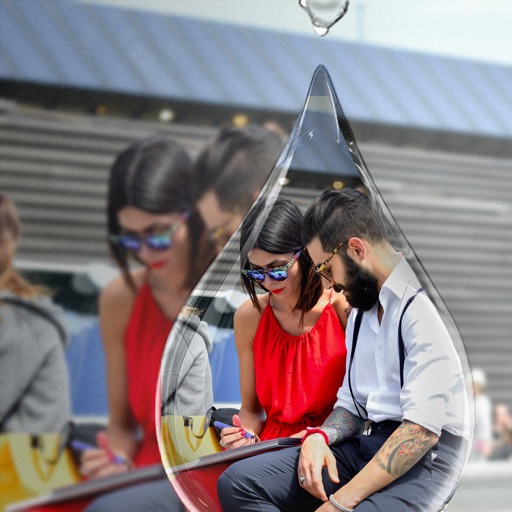
Edit photos with PIP frames, collages, and creative layouts. Add crystal bottle patterns and cartoon styles. Share edited photos directly to social media. Adjust brightness, contrast, and colors. Crop and rotate images.