Connect via Bluetooth to access additional shooting features. View and edit instant photos. Share images directly from the . Adjust brightness and contrast for printed photos.
by FUJIFILM Corporation★ 4.9496 ratingsPhoto & VideoFreeData updated 2026-09-06
Edit photos with filters, , and cropping tools. Add text, stickers, and borders. Adjust brightness, contrast, and saturation. Export in various formats and share directly.
Capture photos with advanced HDR, denoising, and 110-megapixel resolution. Use macro and zoom features for detailed shots. Adjust lighting and enhance details with AI-powered processing. Export high-resolution images directly.
Edit photos with -themed and creative effects. Choose from gallery or camera sources. Apply enhancements for realistic visuals. Share edited photos directly.
Take black and white photos with live preview. Use colored lens filters and professional conversion filters. Adjust contrast, brightness, and exposure in real time. Add film grain and black vignetting.
Edit photos with New and Christmas frames. Add text, stickers, and effects. Share edited photos directly to social media or messaging apps. Adjust brightness, contrast, and saturation for enhanced visuals. Export in various image formats.
The app transfers photos from a mobile device to a Fujifilm Kiosk for printing and creating personalized photo products. Users can select specific images for transfer and create orders from their mobile device.
AI enhances photos and videos with one-tap processing. Adjust brightness, contrast, and color balance. Remove blemishes and imions. Add text overlays and stickers. Export in various formats and share directly.
Edit photos to create formats without cropping. Add blurred backgrounds to full-size images. Resize, rotate, and adjust photos. Save in high quality and share directly.
Capture photos and videos without storing them on your device. Share directly via social media or messengers. Choose where to save media or send it instantly. Set default preferences and switch between front and back cameras.
Edit photos with brightness, saturation, and contrast adjustments. Add text, stickers, and memes. Crop, rotate, and straighten images. Apply effects and frames. Sharpen or blur photos. Import images from the camera roll. Fix red tones.
Capture high-quality raw images with manual control over exposure settings. Adjust color, contrast, and clarity in post-processing. Export images in various formats and share directly.
Edit photos using presets, crop, straighten, adjust exposure, saturation, brightness, contrast, and shadows. Apply textures to enhance images. Save and share edited photos directly.
Edit photos with brightness and exposure sliders for precise control. Choose from JPG, PRO, RAW, and HEIF formats. Capture images in high quality. Adjust custom settings for advanced photography.
Allows users to capture photos with a minimal yet powerful interface. It includes manual controls for exposure, focus, and white balance. Users can edit images with advanced tools like color grading, adjustment layers, and masking.
Edit photos with filters, retro effects, and dimension styles. Crop, resize, and trim images. Adjust colors and brightness. Save and share edited photos directly.
RAY INFORMATICS YAZILIM TEKNOLOJI MEDYA DANISMANLIK VE EGITIM TICARET LIMITED SIRKETI
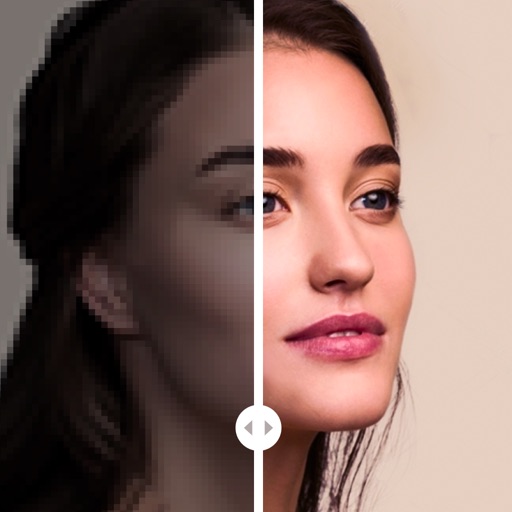
Enhance, restore, and upscale photos
Edit photos with unblurring, enhancement, and upscaling tools. Restore damaged or faded images. Adjust clarity and sharpness. Save and share edited photos directly.
Track your real-time age with a widget on the Today view. View current age and time passed. Set reminders to stay mindful of time spent. Syncs with iPhone notifications for instant updates.