Create and refine sketches and designs with layering and scaling features. Add symbols, text, and dimensions. Import images or plans to set scale. Zoom without quality loss. Rotate elements or the entire drawing.
The app provides a multi-device collaboration tool for capturing and sharing creative ideas. Users can add notes, arrange them on a canvas, assign colors, and draw to organize thoughts and show relationships between concepts.
Calculate and communicate project measurements easily.
The app allows users to calculate and communicate project measurements. It connects to a RIDGID LM-400 Laser Distance Meter via Bluetooth for precise measurements and works in drawing or photo overlay modes.
The app joins photos vertically, horizontally, or in 2D by blending or abutting them. Users can edit individual photos or the blend output in the image editor, supporting up to 16 photos.
Create and edit and drawings for home screen and lock screen widgets. Draw with Apple Pencil or finger, type with keyboard. Customize backgrounds, colors, fonts, and zoom for details. Combine text and drawings in one note. Share as images or text.
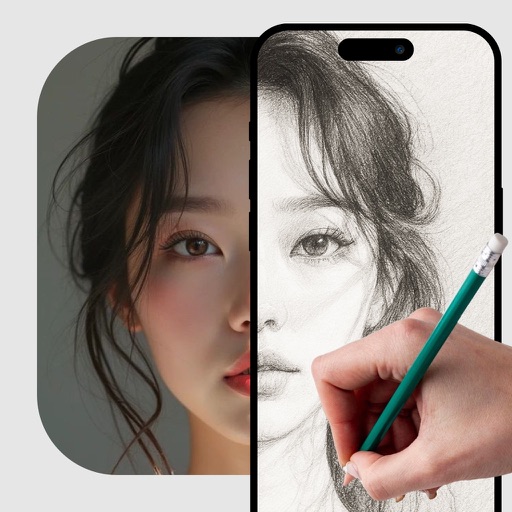
Use camera to project image outlines onto paper for tracing. Choose images from gallery or collection. Follow lines to practice sketching. Suitable for beginners, artists, and students. Improve hand-eye coordination.
Edit photos by selecting and removing unwanted elements such as people, objects, trash, pimples, lines, or other unwanted content. Retouch images to improve appearance. Save and share edited photos.
Create drawings and paintings using a variety of colors and brushes. Select from pre-drawn shapes and stickers. Save artwork to device storage. Share creations via social media or email.
Care for pets with feeding, grooming, and health management features. Interact via gestures and Dynamic Island support. View progress and status updates. Add home screen widgets for quick access.
Use AR camera to trace and sketch projected lines onto paper. Draw over real-world objects with digital ink. Save and share artwork directly. Adjust line thickness and color. Export drawings in multiple formats.
Draw shapes by touching the screen and moving your finger. Adjust color and size settings. Save and share completed drawings. Receive feedback on accuracy and precision.
Script writing and recording allow users to write scripts within the and record while text scrolls automatically. Import scripts in txt, rtf, or html formats. Simplify production and speech recording with timed text display.