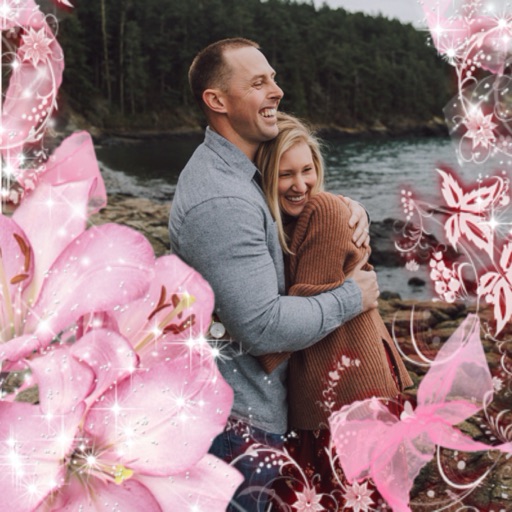
Edit photos with resizing, text addition, and customization. Choose from categories like romantic, love, and holiday frames. Apply various effects and save or share edited images.
Create movies by combining short and rearranging them. Add multiple texts and background music from the or your own files. Adjust brightness, contrast, exposure, hue, and sharpen settings for each clip.
Edit photos and videos with advanced auto enhance tools, double exposure, and 425 special light effects. Apply filters, add stickers, typography, and vignettes.
Create and share Day photos with 100+ customizable . nd post Day stories for social sharing. Access 100+ HD wishes and 50+ cards for personalized messages. Apply to photos and share directly with friends.
Create animations using frame-by-frame drawing on photos. Add doodles and export as GIF or video. Share finished animations with friends. No advanced drawing skills required.
Edit photos with effects, filters, and customizable stickers. Blend images and add 3D or overlays. Crop photos and draw on them. Apply frames and borders. Use a custom camera to capture and enhance images.
Edit photos by adding holiday with adjustable size, color, spacing, and placement. Apply holiday-themed frames and text overlays. Animate with two timers. Share 10-second videos, animated GIFs, or single-frame photos.
Edit photos with brightness, saturation, and contrast adjustments. Add text, stickers, and memes. Crop, rotate, and straighten images. Apply effects and frames. Sharpen or blur photos. Import images from the camera roll. Fix red tones.
Apply -themed stickers to photos using face swap technology. Choose from 100+ zombie designs and other spooky masks. Add effects to create scary or funny faces. Share edited images directly.
Edit photos with customizable Day . Select images from gallery or camera. Apply effects for enhanced visuals. Share via Facebook, Instagram, WhatsApp. Save high-resolution images.
Create animated cartoon videos using frame-by-frame drawing. Doodle on different papers or over photos to build animations. Export as GIF or and share directly.
Select and apply unique to images. Choose photos from gallery or camera. Rotate and scale as needed. Save, share, or set photos in gallery. Display all saved photos in a list.
Photos by flipping horizontally or vertically. Create reflections and repeating patterns. Apply effects and frames. Design collages with multiple layouts. Export and share edited images.
Create GIFs by loading a or recording a new one. Select a time range, start, and end points. Preview the selected segment. View GIF specifications at the end of the main window. Tap and hold to save the GIF to the gallery.
Select a or take a new one with the camera. Choose from over 30 colorful to decorate images. Apply different frame styles and designs. Save edited photos to the gallery and share them on social media.