Capture and annotate live video with masks, spotlights, and picture-in-picture. Take snapshots and record sessions. Adjust image properties including scaling, rotation, resolution, and exposure.
by Qomo, LLC★ 0.00 ratingsUtilitiesFreeData updated 2026-09-06
Record screen activity with audio capture and video export options. Save recordings to device storage or cloud services. Adjust recording settings for resolution and quality. Share files via email, messaging, or social media platforms.
Monitor and control surveillance systems with live video streaming and remote playback. Record and view videos, take snapshots, and adjust PTZ cameras. Receive notifications via Apple Push Notification service.
Online to TV via and compatible devices. Support HD resolution up to 4K. Browse with advanced browser features including tab management, ad blocking, and browsing history. Automatically detect subtitles and access a movie/TV subtitle library.
Capture and annotate screen content with full-screen, rectangular, and freeform shapes. Use tools like whiteboard, color picker, and magnifier. Save annotated images in BMP, JPG, JPEG, and PNG formats.
Beijing Lingguang Zaixian Information Technology Limited
Record and share high-quality videos
Record and edit videos with advanced cinematic controls. Transmit live video via Wi-Fi to multiple devices. Adjust framing, focus, and exposure in real-time. Export in high-quality formats and share directly.
Annotate screens with handwritten notes and draw over active applications. Record annotated sessions as video files. Save annotations as images. Share recorded videos directly.
Take notes, draw, and sketch using Apple Pencil. Annotate PDFs, Excel, Keynote, and Numbers files. Create lists, memos, and organize notes. Export notes in multiple formats.
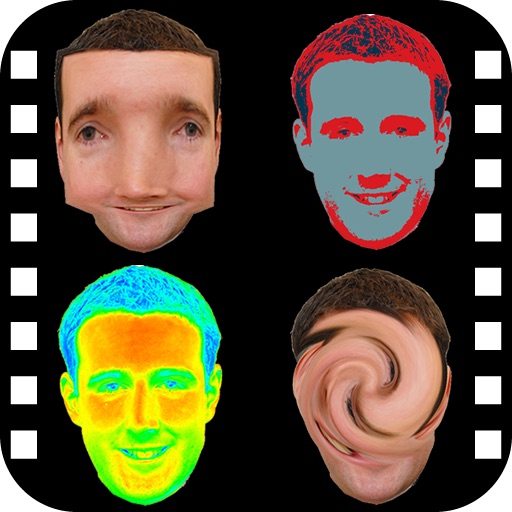
The app provides a photo editing experience with numerous effects. Users can select a picture and apply various filters like Night Vision, Heat Cam, Ripple, and Alien.
Capture photos and videos with control over focus, exposure, ISO, shutter speed, white balance, and flash. Enable RAW capture, real-time histogram, focus peaking, and lock exposure and white balance.
Access and control DVR, NVR, and IP camera systems from iOS devices. View live video streams without third-party servers. Authenticate with username and password. Adjust PTZ camera angles. Capture snapshots in landscape or portrait mode.
Blur faces or sensitive information with a single tap. Apply masks, adjust blur intensity, and resize or rotate blurs. Preview, save, and share edited photos. Protect privacy by blurring documents, license plates, or unwanted elements.
View live video in up to 4K resolution. Playback recorded events for past activity. Receive instant push notifications for motion detection. Customize settings for camera preferences.
Record videos with clear audio and full- capture. Add face cam reactions and audio commentary. Edit videos with trimming, effects, and filters. Share recordings directly or save in multiple formats.
Capture and annotate object photos with dimensions, arrows, and angles. Add text comments for clarity. Share annotated images for better understanding. Store and retrieve measurements for future reference.
Smart TVs and streaming devices with on-screen buttons for channel switching, volume adjustment, and launching. Navigate menus, pause/play content, and adjust settings directly from the .
Adjusts settings for low-light photography. Amplifies residual light in real-time. Switches between light amplification and exposure modes. Allows up to one-second exposure for detailed images. Captures clearer photos in twilight conditions.
Record video and photos with manual controls for exposure, focus, and white balance. Use advanced editing tools with 200+ professional filters. Adjust settings for low-light performance. Share directly via iMessage or social media.