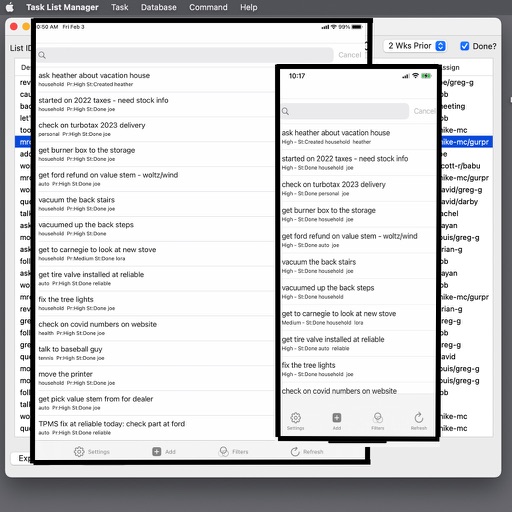
Manage tasks, projects, habits, and life goals with customizable contexts, tags, and flags. Set priorities, track progress, and organize workflows. Sync across devices and receive notifications for upcoming deadlines.
Create tasks for any date and organize schedules. Track completed and overdue items. Set multiple reminders and mark tasks as done. Manage work, personal, and routine activities without clutter.
Create and organize to-do lists with customizable categories and priority levels. Set recurring tasks and due dates. Collaborate in real-time with team members. Sync across devices and access history for completed tasks.
Manage Instagram account by batch unfollowing, blocking, deleting, and unliking posts. Use whitelists and filters to identify users. Select inactive accounts or non-followers. Save pending tasks and retry automatically when limits are reached.
Manage tasks using the format with support for due dates and thresholds. Import tasks from Reminders, sync via Dropbox, and archive completed tasks to done.txt. Edit and organize files through the iOS Files .
Track and manage with customizable reminders and progress logging. Set repeating schedules for daily, weekly, or monthly actions. Record completed and note details about each occurrence. Sync across devices and receive notifications for upcoming .
Manage ideas with prioritization and project tracking. Plan releases and manage tasks in one interface. Track development progress and prepare for store submission without switching tools.
Create and organize tasks with custom folders and labels. Add subtasks, images, and links for detailed information. View tasks in a calendar format and use a focus timer to manage time effectively.
Manage tasks with a virtual todo notebook. Add reminders for today or defer tasks to tomorrow. Complete or delete tasks. View tasks for today and tomorrow. Simplify task entry and organization.
Add tasks quickly by typing names and selecting notification dates. Complete tasks to delete them from the . Postpone or delete tasks directly from notifications. Add new tasks using Siri.
Blocks ads and tracking scripts in Safari to improve page load speed, reduce data usage, and extend battery life. Allows customization of filter lists. Open source and available for macOS.
Record transactions using a double-entry bookkeeping system. View income, expenses, and net income as bar charts. Track balance history with line charts. Scan and attach invoices to transactions. Scan QR codes on invoices to create transactions.
Communicate through messages, assign and track tasks, store files, and schedule meetings. Add , organize workflows, and collaborate with team members or freelancers in one platform.