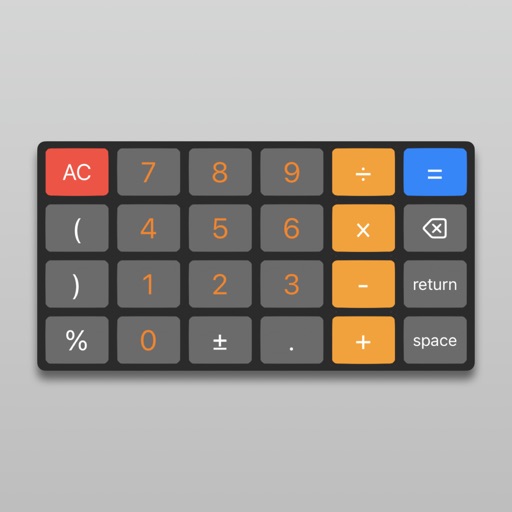
Apps Like GoodCalc - simple calculator for iPhone and iPad
Calculate, edit, and track expressions
Perform calculations with real-time results and visible input process. Use scientific and fraction modes. Adjust decimal places and show/hide separators. Access unlimited history. Quick start with backspace and keyboard vibration or sound.
by 龙 全★ 5.08 ratingsUtilitiesFreeData updated 2026-09-06
Calculator++ displays expressions in real-time and maintains a calculation history. It supports fraction operations, unit conversions, and advanced functions. Users can graph equations and perform complex calculations.
Perform basic and calculations including trigonometric and inverse trigonometric functions. Use mathematical functions like absolute value, ceiling, floor, and rounding. Modify calculations in real time by clicking steps.
Perform complex calculations using 10 built-in calculators including scientific, financial, and unit conversion tools. Access 10 financial worksheets for budgeting, loans, and investments. Save and share calculation results.
Record calculations, customize prompts, simplify math
Perform calculations with a simplified interface and faster performance. Record and search calculation history. Customize prompt sounds and choose from multiple themes. Designed for use on iPad.
Perform basic and complex calculations with a clean, intuitive interface. Input numbers and operators to solve equations. Switch between different calculation modes for precision. Save frequently used equations for quick access.
Customize the 's appearance with color changes. Switch between basic and scientific modes with over 30 operations. View calculation history and equations. Perform calculations with precision up to 75 significant digits.
The provides scientific calculations, unit conversion, and logic-based computations. Users can switch between modes. It includes a built-in manual for operation guidance. Perform n-base conversions and unit-based calculations.
Allows users to perform basic and advanced calculations. Switch between simple and scientific modes. Access the via homescreen widget or LiveActivity Standby. Perform calculations without opening the .
A and unit/currency with a clean interface. Convert between 500 units across 29 categories and 161 currencies. Customize colors and display selected units. Enter values to instantly convert between units.
Perform complex calculations with a scientific interface. Enter expressions in natural order. Simplify results with symbolic computation. Swipe to review previous calculations. Track history and reuse past entries.
Perform arithmetic with mixed and decimals, including bracketed expressions and unlimited precision. Calculate results in fraction, decimal, or mixed form. Review calculations on a scrollable paper tape and email results.
Perform calculations using reverse Polish notation. Swipe to undo or redo operations. Access a 100-entry stack and 6 memory buttons. View large, easy-to-read displays. Save state on exit. Supports scientific functions and multiple undo/redo levels.
Perform calculations with both simple and scientific functions. View step-by-step solutions and process details. Display results in Chinese uppercase. Support high-resolution tablets. No ads. Compact size with no storage requirements.
Convert decimals to fractions and vice versa. Display equations and results simultaneously. Edit calculations easily. Add to Today Screen for quick access. Ideal for , woodworking, and homework verification.
Perform complex calculations with scientific, financial, and unit conversion tools. Access 10 financial worksheets for budgeting and planning. Switch between landscape and portrait modes. Save and export calculation results.
Allows users to perform basic arithmetic operations. Choose from different background colors and display themes. Input numbers and operators to calculate results. Switch between light and dark modes for better visibility.
Plus provides arithmetic and scientific calculations with live expression preview and error detection. Perform operations in exact form, fractions, and scientific notation. Switch between standard and scientific modes. Share results directly.
Calculate sales tax and discounts with percentage-based operations. View equations and reuse previous results via the history tape. Adjust rounding settings and switch between multiple color themes.