Create personalized lock screen with 40+ high-quality materials. Download materials with one click and follow detailed setup instructions. Customize designs and apply to desktop. Upgrade to remove ads and access premium features.
by 梓怡 赵★ 4.36 ratingsGraphics & DesignFreeData updated 2026-09-06
Apply lock and home screen with neon glow effects, abstract patterns, night city scenes, and space imagery. Browse in categories like Abstract, Animals, Nature, and Urban. Customize device appearance with high-quality background .
Customize home screen icons and themes with pre-designed options or create new icons from scratch. Select and apply themes from artist-created libraries. Follow step-by-step instructions to replace icons using the iPhone .
Edit photos with 50+ filters and adjustment tools for brightness, contrast, vibrance, and hue. Apply special effects like comic or sketch styles. Draw on images, add text, and use blur or rotate features. Crop and color splash photos.
Create -by- videos with vertical and horizontal collage options. Add cool music for vlogs. Choose from popular ratios like Instagram, TikTok, and YouTube. Customize styles and adjust layouts. Share videos directly to social platforms.
Customize device with adjustable colors and styles. Choose from curated designs for iPhone. Apply via in- instructions. Icons are custom shortcuts, not actual icons. Subscribe for weekly or monthly plans.
Create custom home screen themes with downloadable icons and widgets. Choose from pre-designed packs or design your own. Install themes via shortcut and customize icons for iOS 14 and later.
Customize settings with films, frames, and effects. Apply restored Kodak and Fujifilm filters. Choose from 17 high-quality photo paper frames. Add film effects like dust, grain, and light leaks.
Set wallpapers from a collection of time-lapse scenes, abstract patterns, and dynamic visuals. Choose and save preferred wallpapers. Apply saved wallpapers as lock-screen backgrounds. Access high-quality visuals for customization.
Set live and static for iPhone and iPad. Preview with a single click. View in 4x4 grid. Access over 150 categories. Download high-quality daily. Remove ads and unlock content with subscription.
Customize Lock Screen, Home Screen, and Dynamic Island widgets with iOS 26’s Liquid Glass design. Pair with exclusive themes for a cohesive look. Choose from Dark, neon, minimalist, and cute styles.
Objects from photos using various tools. Replace removed elements with templates or custom images. Edit photos to eliminate unwanted items like people, wires, or blemishes. Export edited images directly.
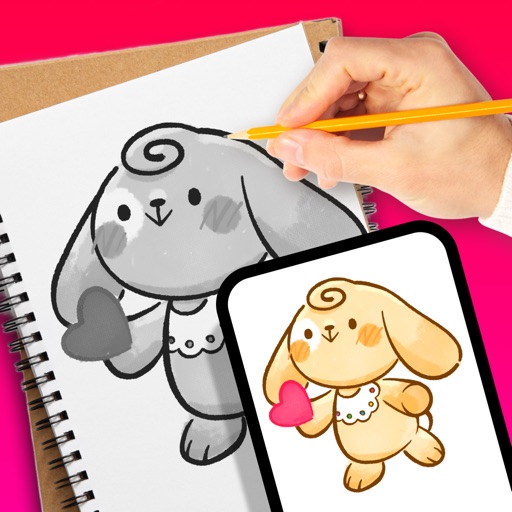
Create art with customizable drawing tools and templates. Access packs for calligraphy, mandalas, and artist-inspired paintings. Choose from themed categories like Ink. Practice drawing techniques and explore creative exercises.
Create custom with emoji and AI-cut out stickers, matching background colors. Design notch-style for Smart Island. Apply depth effects to scenery and animal images. Set daily unique with high-resolution support.
Edit photos using curated Lightroom for portraits, landscapes, and social media content. Organize into categories, save favorites for quick access, and apply them with a single tap. Export edited photos in various formats.
Create collages by adding to photos or videos. Choose canvas size and color. Customize with font, size, border, color, gradient, stroke, and shadow. Add stickers or GIFs. Save projects for reuse. Access 300+ fonts for multiple languages.