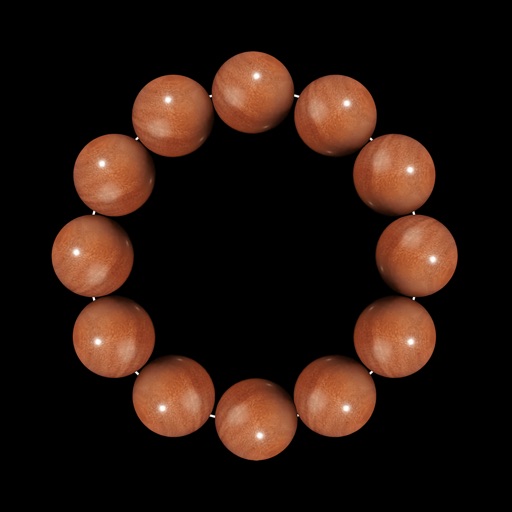
Simulate with touch-based scrolling and sound. Choose from multiple bead styles. Set automatic scroll intervals. Display scroll count. Support iPhone, iPad, and Apple Watch. Add customizable hover text.
by 友财 徐★ 4.7539 ratingsMusicFreeData updated 2026-09-06
Practice ear training by identifying intervals, chords, and scales. Listen to audio examples and select the correct answer. Track progress with detailed reports. Sync lessons across devices and receive instant feedback on accuracy.
Edit and customize saxophone tones, synthesizer sounds, and shakuhachi voices. Adjust effects and modify sound parameters visually. Set detailed instrument settings not available on the device itself.
Listen to sacred prayers as the text is highlighted word-by-word. Supports ten text transliterations including English, Telugu, Kannada, Hindi, Tamil, Malayalam, Oriya, Bengali, Punjabi, and Gujarati.
Provide guided meditation sessions, ambient , and sleep stories. Track progress with daily sessions and mood logs. Set reminders for mindfulness exercises and relaxation techniques.
Offer meditations for anxiety relief, chakra balance, and mood-specific sessions. Customize yoga music with nature sounds or upbeat tracks. Track progress on focus and . Set reminders for daily practice. Export session logs for review.
Test speakers in real-time to check sound quality. Clean grime with guided cleaning steps. Adjust audio settings for clearer sound. Monitor health and receive maintenance alerts.
Display finger positions on the instrument with visual guides. Hear each musical note's sound. Watch live demonstrations. Access lessons for different types including F, Bb, and double .
Adjust audio settings with custom EQ adjustments for bass and treble. Select from multiple sound profiles to match listening preferences. Connect up to five for collaborative sound systems and sync with Lightboks for lighting effects.
Learn to play the with 3D charts showing finger positions. Hear each musical note and view 3D models for demonstration. Access lessons and select from sopranino, soprano, alto, tenor, or bass . Choose between Baroque and German systems.
Simulate musical instruments including Qanon, Oud, and strings with real sound. Play quarter flat scales and rhythms. Access chords specific to music. Switch between two common music scales. Adjust tuning and settings for different playing styles.
Record phrases to create reversed sound clips. Listen to reversed versions of your recordings. Attempt to mimic the reversed and play your result in . Share clips with friends and challenge others.
Learn to play the with interactive charts and real-time sound demonstrations. Choose from piccolo, , alto , or bass . View finger positions, listen to notes, and access lesson tutorials for structured practice.
Create beats using built-in samples or imported audio. Add and arrange sound kits. Adjust tempo and volume. Export tracks in various formats. Share finished beats directly.
Offers multiple visual modes including animated beat numbers, fullscreen flash, and traditional pendulum. Includes standalone Apple Watch support with haptic or audio feedback.
View 3D charts for , showing finger positions. Hear each musical note. Watch 3D model demonstrations. Access lessons. Choose between C, Bb, and A types.