Turn your lock screen into a media hub with for shortcuts, contact lists, and photo displays. Track physical activities and sports achievements. Edit wallpapers with a user-friendly editor. Download exclusive location-based content.
by Irina Scelcunova★ 4.61,264 ratingsProductivityFreeData updated 2026-09-06
Access shortcuts, , and quick actions on Home Screen, Lock Screen, and Notification Center. Customize layouts with favorite apps and . Set up intelligent shortcuts for frequent tasks. Manage groups and organize home screen layouts.
The Bot automates scrolling through TikTok videos or YouTube Shorts. It allows users to set custom intervals for automatic clicks. The can also assist in scrolling through long-form articles.
Customize home screen with . Choose from preset designs or create your own. Add images to decorate the . Available in standby, lock screen, and transparent formats. Multiple options and styles.
Display important directly on the lock screen without unlocking the device. Add, edit, and delete instantly. Sync across multiple devices using iCloud. Access via a widget in notifications.
Scan QR codes using the camera or import from screenshots. Add small or large widgets to home or lock screens. Present codes without opening any . Store QR data securely on the device.
View and navigate the with endless scrolling and intuitive controls. Access accurate Bahire-Hasab calculations for each year. Receive holiday reminders and set custom notifications. Convert dates between and Gregorian formats.
Browse Watch Faces and to customize Apple Watch. Access Keypad for message creation, Share location instantly, and view RSS feeds. Explore Watch Gallery for .
Create and manage configurations for iOS home screens. Add icons to lock screen with widgets. Generate custom icons from glyphs with color and gradient options. Import images as icons. Save multiple setups for quick style changes.
Manage tasks with a to-do list that includes duration, priority, start and due dates, repetition, and tags. Use a customizable based on the Pomodoro Technique. Track time spent on tasks and review logs.
Allows users to add frequently used apps to customizable widgets. It offers custom wallpapers to integrate with the device's interface. Users can launch apps directly from the home screen.
Track personal progress with categorized timers for events like birthdays and smoke-free . Set smart reminders before key dates. Use widgets on home and lock screens for quick access. Sync data across devices.
Create countdowns with customizable colors, fonts, and background images. Add events to home and lock screen widgets. View countdowns at a glance with ticking timers and gradient effects.
Removes junk files like screenshots, similar photos, Live Photos, duplicate contacts, expired calendar events, and reminders with one-tap AI cleanup. It also includes an all-in-one photo to search and delete duplicates.
Track watched shows with progress indicators and episode logging. View upcoming episodes and air dates. Sync with trakt.tv for show recommendations and watch history. Customize watch lists and set reminders for new episodes.
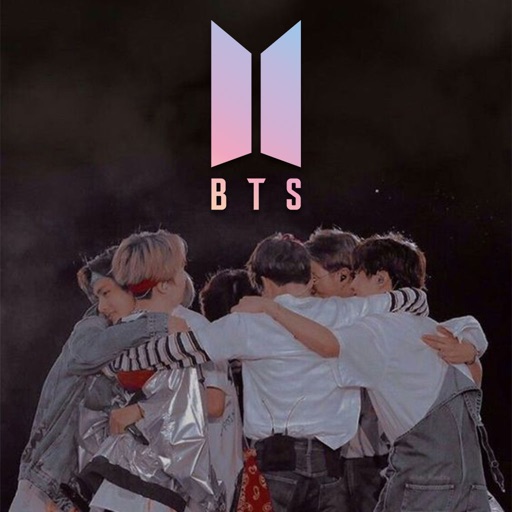
Download and customize BTS in high quality. Create unique by editing images or combining elements. Access over 200 pre-designed and receive future updates. Share personalized with others.
View websites in a on the iOS home and lock screens. Tap links to navigate. Use JS-Widgets for instant interaction. Support geolocation and transparent backgrounds. Display images from the internet. Automatically update content.