Control devices via Bluetooth connection. Adjust volume, play/pause media, and activate voice assistants. Sync with magic box for remote management. Manage connected devices and customize control settings.
by Diheng Technology Co.,Ltd.★ 0.00 ratingsUtilitiesFreeData updated 2026-09-06
Scan local network devices to identify all machines and internet devices on the LAN. Customize device names and icons. Save and share scan results. View detailed device information. Control connected devices remotely.
Lets users locate Bluetooth devices. View nearby devices in real-time. Check proximity and signal strength to devices faster. Access detailed information about connected devices. Control location features remotely.
Paikewei (Shanghai) import and export trade co.,ltd.
Control devices remotely and share access
Remote control pet appliances from anywhere. Set timers for multiple functions. Share devices with family members. Connect devices quickly and easily. Control multiple devices simultaneously.
Control smart devices with native support for Milight, LimitlessLED, EasyBulb, LIFX, Belkin WeMo, Indigo, and URL calls. Trigger actions via geofences, schedules, or voice recognition. Add custom attributes to commands.
Control and monitor home devices remotely. Adjust lighting, manage curtains, and operate appliances. Receive security alerts and view camera feeds. Add switches, sensors, and locks to create a customized home automation system.
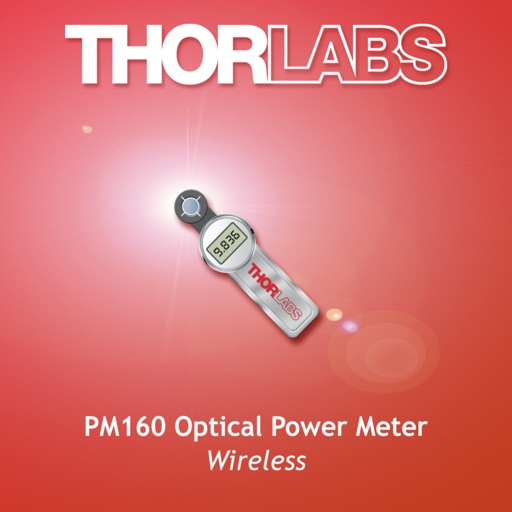
The app enables remote control of PM160 series optical power meters. Users can view optical power readings, minimum and maximum values, and adjust settings like wavelength correction and zeroing through a Bluetooth connection.
Control toy spiders via Bluetooth. Switch between ground and wall crawling modes. Adjust lighting effects to enhance Halloween ambiance. Connect through Bluetooth settings within the .
Control devices remotely via the for all devices and compatible Tuya devices. Use voice commands with Amazon Echo and Google Assistant. Connect multiple devices at once. Create scenes based on temperature, location, or time.
RANG DONG LIGHT SOURCE AND VACUUM FLASK JOINT STOCK COMPANY
Control devices, automate scenes, share access
Connect and control home devices remotely. Create automation scenes for scheduled tasks. Adjust device settings in real time with timers and countdowns. Share device access with family members for collaborative control.
Control TVs remotely via phone. Automatically detect devices on the same WiFi network. Navigate menus with a large touchpad. Launch apps directly. Use a fast keyboard and voice search to play IPTV playlists.
Control electrical circuits wirelessly via Bluetooth Low Energy. Manage power distribution system functions from iPhone or iPad. Adjust settings to control vehicle systems remotely. Sync with compatible hardware for real-time operation.
Control TV, cable box, DVD players, and stereo amplifiers using an iPhone. Switch between device types with scrollable pages. Access over 1000 device models from more than 200 manufacturers.
Access real-time data from connected devices in the oil and gas industry. Monitor equipment performance, view alerts, and control remote operations. Receive notifications and track system status updates directly on mobile devices.
Monitor vehicle temperature, power, speed, current, and mileage. Control power settings, switch vehicle modes, and adjust front and rear angles. Enable Bluetooth connection for real-time data. Requires iOS 7.0 or higher.
Manage smart home network settings with parental controls and guest network creation. Monitor connected devices and track network usage. Run speed tests and adjust settings for optimal performance.
View scooter details, adjust settings, and update firmware via Bluetooth. Monitor vehicle data and customize parameters for enhanced control and performance.
Locate devices via Bluetooth connection. View real-time location and map directions. Play sound to help devices. Lock or wipe devices remotely. Receive notifications when devices come within range.
Control vehicle functions via Bluetooth. Turn on lights, adjust cruise control, lock or unlock the car, start the engine, and modify braking force. Sync with compatible devices for remote operation.
Control devices with per-device settings like color, brightness, and status checks. Create device groups for simultaneous control. Set automations based on device triggers. Monitor door and window sensors remotely.