Create digital artwork with realistic painting and drawing tools. Use exclusive brushes mimicking real-world art mediums. Simulate fluid watercolor effects. Adjust brush settings for precision. Export artwork in various formats.
Color by number games allow users to color over 1000 artworks for free. Choose from 3D art and string art styles. Create images of objects and animals using color selection tools. Save and share completed artwork.
Create art and cross-stitch patterns with palette selection and gridline toggle. Use eraser, drag or tap to draw, and long press to fill. Trace images and export as files. Supports cross-platform creation.
Control a character with a joystick to navigate the game world. Collect colors from printers, stack them in a backpack, and run over numbers to complete artwork. Complete levels by strategically managing color collection and usage.
Allows users to based on numbers to create artwork. Select colors and apply them to numbered sections. Save and share completed drawings. Track progress and revisit previous creations.
Create artwork using vibrant neon colors and glowing brushes. Draw on a large canvas with sketch tools. Adjust effects and export designs in various formats.
Customize keycaps with paint brushes, stencils, and spray paint. Add colors and artwork to create personalized designs. Save and share creations directly.
Create art with layers and animation support. Use a variety of tools for detailed design. Add background music to animations. Export videos in MP4 format. Sync projects via Google Drive. Join a community for feedback and collaboration.
Create vector art using Bézier tools and Apple Pencil. Convert sketches or photos to SVG format. logos, icons, illustrations, and UI assets. Export vector files for production use. Refine curves and edit vector drawings directly.
Convert photos into 8-bit art using AI and manual drawing tools. Adjust colors, resize, and refine details. Export as image files or share directly. Create profile pictures, game assets, or digital art with customizable settings and editing options.
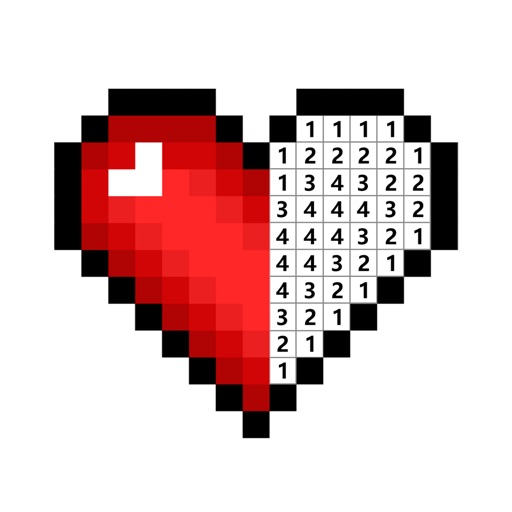
Games allow users to select color by number puzzles and images by tapping colors. Features include on pages, recoloring existing artwork, and saving progress. Users can access pixel art books and sketch freely without internet connection.
Match colors to fill baskets with blocks. Tap baskets to move them to the parking area. Collect only correct colors to progress. Avoid filling the parking area to prevent over.
PLAY AND LEARN EDUCATIONAL GAMES FOR KIDS PLEI END LERN EDYUKESHINAL GEIMS FO KIDS, TOO
Draw, paint, and create with fun animals
Draw with brushes, markers, or crayons on various pages. Trace shadows to identify animals. Tap blocks to create pixel art. Collect stickers. Paint with vibrant colors and patterns. Choose from multiple pages.
Rollic Games Oyun Yazilim ve Pazarlama Anonim Sirketi
Swipe to shoot and drop blocks
Swipe and tap to launch blocks toward targets. Shoot blocks to clear obstacles and defeat bosses. Complete levels by mastering timing and precision. Track progress through multiple stages.
Play a 3D puzzle game by tapping boxes with outward-pointing arrows to remove . Complete levels by solving increasing difficulty challenges. Rotate and interact with 3D graphics. Track progress through challenging and satisfying gameplay.
Create artwork by selecting up to 300x300 stitches and 128 colors. Place stitches by tapping, paint by number, and save progress. Import images for custom designs. Stitch adjacent plaids in 3x3 grids. View completed patterns and export as images.
Color the art versions of famous paintings. Choose from a weekly updated collection of artworks. Remove ads and unlock unlimited through the Amuse Museum Club. Save and share completed drawings.