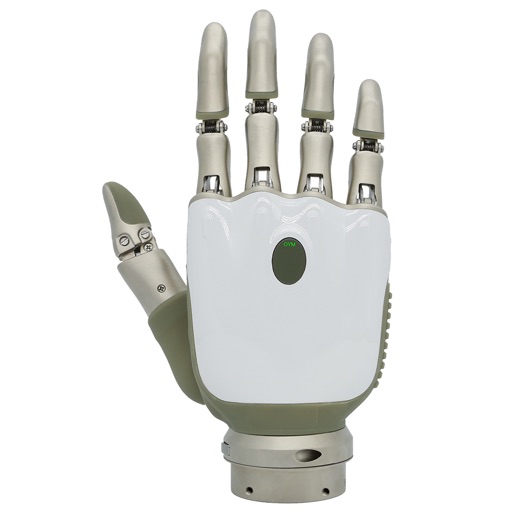
Apps Like OYMotion OHand User APP for iPhone and iPad
Edit prosthetic settings and adjust grip strength
Manage prosthetic devices with real-time control and feedback. Adjust grip strength and movement settings. Monitor device status and receive maintenance alerts. Sync with compatible devices for seamless operation.
by OYMotion Technologies Co., Ltd★ 0.00 ratingsUtilitiesFreeData updated 2026-09-06
Manage presets by editing, organizing, and restoring them to the cloud. Audition and download tones from a community library. Control amplifier settings wirelessly for real-time sound adjustments. Backup presets to the cloud and sync across devices.
Control room air conditioners remotely. Adjust temperature settings, view real-time status, and schedule maintenance alerts. Manage multiple units from a single interface. Receive notifications for system issues.
Control smart home devices remotely via phone. Set schedules, create contextual scenes, and receive security alerts. Adjust device settings and monitor status in real time. Integrate with home automation systems for seamless management.
Monitor security system status and arm/disarm remotely. Receive instant alerts for alarm events. Control lighting and manage energy usage. View video footage from connected cameras. Sync with smart home devices for automated responses.
Control and monitor smart locks and other devices. Adjust settings remotely. Receive alerts for device status. View real-time security footage. Manage device permissions and schedules.
Control and monitor appliances through a centralized . Adjust settings based on schedules and routines. Link devices to manage functions remotely. View appliance status and receive notifications.
Monitor by scanning networks to locate devices. View live feeds and receive alerts for motion or sound. Control settings and check device status remotely. Analyze network connections to identify connected devices.
Monitor real-time video and audio with low latency and secure connections. Receive alerts for detected abnormalities. Control and manage connected devices remotely. View activity logs and access device settings from a clean interface.
Manage connected devices with real-time status updates and remote control. Adjust output power settings, turn devices on or off, and check device status. Receive firmware updates over-the-air for device maintenance.
Control remotely by turning them on or off. Adjust color and brightness settings. Set timers for automatic scheduling. Manage multiple devices simultaneously.
Control smart home devices by connecting them through the . Manage device settings, view real-time status, and receive notifications. Adjust schedules and automate device functions based on time or conditions.
Manage Telo devices by activating new units, reconfiguring Telo Air 2, and checking device status. Enable Phone Genie or Telo 4G remotely. Update settings and monitor adapter status. Sync with account for real-time information.
Control and monitor security devices such as video doorbells, deterrent cameras, and battery cameras. View live feeds, receive motion alerts, and manage device settings remotely. Adjust camera angles and trigger deterrents from the .
Manage smart devices like cameras, thermostats, locks, and sensors from one . Share device access with others while controlling permissions. Monitor activity and receive alerts for device status changes.
Manage irrigation by setting up and calibrating OtO devices. Define watering zones and schedule maintenance. Monitor system status and adjust settings remotely.
Monitor live video feeds from HomeKit, ONVIF, and IP cameras. View and record footage remotely. Receive motion alerts and customize settings. Sync with mobile devices using WebRTC. Control angles and adjust lighting settings.