Learn musical notes, fingerings, and rhythms through interactive gameplay. Compete against up to three players on a single instrument. Earn ninja belts by improving speed and accuracy. Purchase additional instruments.
Record notes with high-quality audio capture. Convert recordings to text automatically. Edit and organize audio files. Share recordings directly or export in various formats.
Manage with folders, subfolders, and custom colors. Create personalized score covers for quick browsing. Use smart folders that auto-organize by composer. Edit scores, annotate pages, and share files directly.
Catalog and organize chord charts and lyrics. Import from online sources or create new charts. Sync across devices via iCloud. Build and share setlists. Transpose, capo, or rewrite chords. Use with metronome, autoscroll, and chord buttons.
Learn guitar notes with interactive educational games. Practice musical ear training, study over 500 chords across the , and explore scales in various positions. Customize tuning and select modes for focused practice.
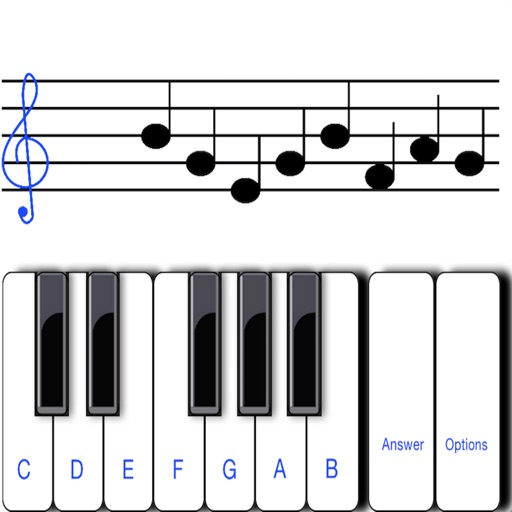
To sight notes in G and F clefs. Practice notes across six octaves, including those above and below the staff. Randomly generated notes apply to any instrument. Switch clefs for varied practice. Beginners can limit octaves and set their pace.
Set beats per minute and choose between eighth notes, triplets, or sixteenth notes. Use normal, repeat, or program modes. Adjust tempo and hear natural sounds with realistic pendulum animation.
Record and edit files using multitrack editing. Cut, trim, and split segments. Apply effects and use a professional equalizer. Mix tracks and export in various formats. Share edited files directly.
To play the with guided lessons, exercises, and song tutorials. Track rhythm and pitch with real-time feedback. Use a built-in tuner to adjust pitch. Practice reading music notes and improve playing skills.
Sing melodies, hear progressions, connect instruments
Learn music theory through videos and exercises. Practice reading sheet music daily. Identify intervals and notes with ear . Explore piano chords and scales. Connect instruments or voice for real-time feedback.
Develop musical ear through 80 progressively challenging levels. Recognize intervals and improve solfege skills. Identify pitches relative to a tonal center. Syncs with Apple Health.
Play rhythm with adjustable tempo and beat patterns. Record audio sessions. Use chromatic tuner for pitch accuracy. Create loops and setlists. Control pitch and metronome functions simultaneously. Export recordings. Sync with music apps.
Practice ear training by identifying intervals, chords, and scales. Listen to audio examples and select the correct answer. Track progress with detailed reports. Sync lessons across devices and receive instant feedback on accuracy.
Offers a pipe for note identification, a piano with 6 octaves for vocal warm-ups, and a tuner to detect notes. Users can play notes, adjust , and practice singing with professional audio quality.
Record and compose music with 12 tracks for sound loops. Dub tracks in real time without stopping. Use reverb, filter, volume, pan, and pitch effects. Export recordings in audio format.
Edit with precise zoom, cut, undo, and redo functions. Remove vocals and separate instruments from files. Apply effects like reverb, chorus, EQ, and pitch adjustment. Merge and mix music clips, create ringtones, and enhance quality.
Practice ear with customizable exercises for chords, intervals, and scales. Track progress across different disciplines. Use a configurable for visual feedback. Access tutorials and follow guided lessons for skill development.