Apps Like FlipClocker - Simple FlipClock for iPhone and iPad
Display time and date in full screen
Display time and date in full screen with landscape or portrait orientation. Switch between 12-hour and 24-hour formats. Toggle dark and light modes. Choose between flip clock and analog clock styles. Enable or disable flip animation.
by 通 张★ 5.028 ratingsLifestyleFreeData updated 2026-09-06
The app displays an analog clock with customizable backgrounds, including loading images from the library. It offers alarm functionality with 19 sounds and the option to toggle the date display.
View dates in , English, and Chinese. Tap events to see celebrations and holidays. Customize themes and switch between 1900 and 2100. Add English holidays and receive notifications for holy days and upcoming events.
Set ringtones for phone calls, texts, emails, alarms, and reminders. Choose from a variety of sound effects, classic ringtones, and holiday-themed options. Customize ringtones by adjusting pitch and volume.
Set alarms with customizable themes and stations for personalized wake-up. Receive real-time weather updates. Sync with calendar for event . Adjust volume and snooze settings. Track daily routines and manage tasks.
Displays current time with customizable digital , including options to show seconds, date, and day of the week. Features music , timer, stopwatch, and widget. Allows photo backgrounds and automatic unlock functionality.
The app displays the time with 140 style options, including 28 color themes and 5 color fonts. It offers 12 or 24-hour modes, portrait and landscape viewing, and customizable clock styles and status settings.
Measure device angle with a . Tilt the device to see current angle. Reset and lock the angle manually. Switch between portrait, landscape, and surface modes.
Display a full-screen analog with customizable dial, index, and hands. Choose from 6 standard face types or purchase additional options. Select from 6 index styles including Roman numerals and triangle designs.
Provides quick access to apps, , and shortcuts on the Home Screen, Lock Screen, and Notification Center. Users can customize layouts, set up shortcuts, and manage .
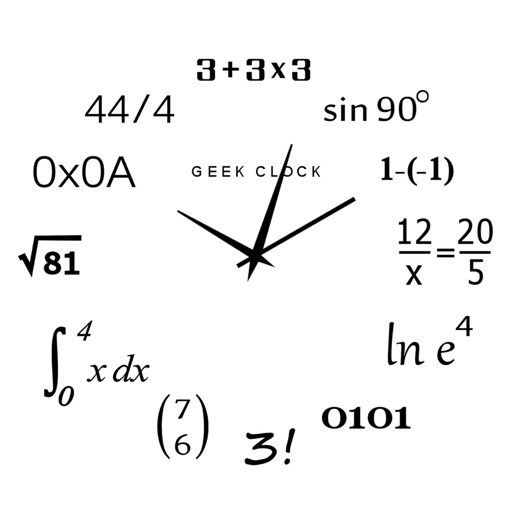
Display time using math problems instead of numerals. Switch between horizontal and vertical layouts. Toggle day and night themes. View animated quotes related to culture. Solve equations to reveal time.
Displays analog and flip- designs with animated quartz movement. Adjust size, position, and transparency. Enable "always on top" and use hot corners to keep visible. Appears on all desktops.
Check current with temperature, description, icon, feels like, wind speed, humidity, precipitation, and sunrise/sunset times. View hourly forecasts for up to 10 days with temperature and conditions. Set location manually or automatically.
Help users decisions by offering custom selection turntables with dozens of templates. Flip a coin or generate random numbers for choices. Set preferences and receive suggestions for meals, vacations, and split bills.
Access shortcuts, , and quick actions on Home Screen, Lock Screen, and Notification Center. Customize layouts with favorite apps and . Set up intelligent shortcuts for frequent tasks. Manage groups and organize home screen layouts.