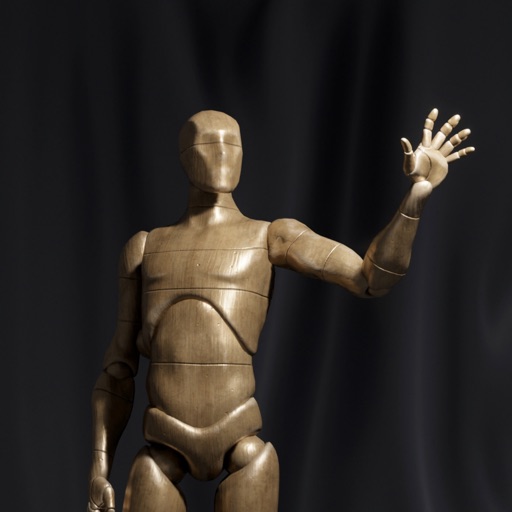
Apps Like Ultimate Poser 3D Model Poses for iPhone and iPad
Pose 3D models and adjust expressions
Create and customize 3D using flexible pose libraries. Apply shading presets like toon shader. Adjust shapes, animations, expressions, camera, and lighting controls. Import and export 3D models. Edit and refine appearances with advanced tools.
by Vladislav Alikov★ 4.2275 ratingsGraphics & DesignFreeData updated 2026-09-06
3D models using gesture-based controls for object and camera manipulation. Multi-select vertices, edges, faces, and objects with long taps or frame drawing. Merge, connect, and create faces from vertices. Draw cuts on edges.
For English- translation and language learning. Translate words directly in browsers and apps. Includes over 100K vocabulary entries. Provides offline pronunciation with human voice. Features English , thesaurus, and definitions.
Edit photos, enhance images, generate AI portraits,
Edit photos with AI to erase, swap, and change backgrounds. Enhance images using AI-generated effects and filters. Create realistic AI portraits and designs with templates, fonts, and backgrounds. Export and share edited photos in multiple formats.
Create and edit AI-generated art and videos. Upload images or videos to generate new content. Refine and enhance artwork with advanced tools. Export and share final creations directly.
Detailed artwork with customizable brushes and specialized toolsets for sketching, painting, and doodling. Access advanced AI features to enhance creative workflows. Export and share finished projects directly.
Create and customize PE including player models, weapons, vehicles, and resource packs. Export content to Pocket Edition and Eerskraft. Edit and design 3D models and texture packs for .
Edit photos with AI art filters and creative effects. Generate AI videos using advanced models. Animate images and apply styles. Export edited photos and videos in various formats. Share content directly from the .
The app provides a full set of tools for creating hand-drawn animation. It offers features like a timeline with unlimited layers, onion skinning, and audio import for lip syncing.
Create digital artwork with customizable brushes and adjust texture, shape, and paper quality. Import and export images in various formats. Access unlimited brushes and tools for free for 30 hours monthly.
Create and facial sketches using detailed geometric models. Analyze face structure from basic shapes to complex forms. Practice with 25 models, including 2 free. Refine sketches with layered tools and adjust proportions.
Edit videos with professional effects and animations
Create and edit videos with timeremap for beat synchronization and keyframe movement. Apply professional effects and rich presets. Export in HD quality. Add animations and adjust timing for dynamic creation.
Create AI-generated photos with customizable styles and filters. Generate headshots, retro-themed images, and Instagram-ready content. Edit and refine AI-generated portraits. Share finished photos directly to social platforms.
Transform photos into dynamic videos and animations
Create lifelike talking videos from photos with accurate lip-sync and realistic expressions. Customize speech, language, and style. Generate cinematic AI scenes, future-baby predictions, and transformations.
Download and apply high-quality , Club, and anime-style wallpapers to home or lock screen. Filter by aesthetic, pastel, dark mode, or chibi characters. Edit wallpapers with built-in tools. Receive daily new additions.
Edit photos with skin retouching, blemish removal, and dodge & burn tools. Remove stray hairs and edit hair part lines with one click. Reshape facial features and adjust body proportions using 3D bone mapping.
Create flipbook animations with frame-by-frame drawing. Use pressure-sensitive pen and eraser tools for artistic effects. Edit with undo/redo features. Add predefined animations and effects. Export and share finished projects.
Pofi Entertainment Shenzhen Network Technology Co.,Ltd
3D scenes with assets and lighting
3D art with character, animal, and scene assets. Adjust camera angles and lighting settings. Use motion tools for animation. Simplify perspective and composition with intuitive controls. Export sketches and finished works.