Play piano and other instruments with realistic physical modeling. Adjust parameters like velocity and aftertouch. Load and save custom sound presets. Connect to MIDI devices for live performance. Export audio files in various formats.
Create and edit chord progressions by selecting keys and chords. Build custom sequences and explore variations. Learn through interactive play and real-time feedback. Export progressions and integrate with music production tools.
Record audio using phone microphone for instant sampling. Create beats by arranging samples, applying effects, and building tracks. Resample output into new inputs for extended sound manipulation. Track progress in real-time with intuitive interface.
Create and manage drum and click tracks for worship services. Import, edit, and organize . Set tempo and sync with click tracks. Export for use in live or recorded performances. Share with other users.
Play and learn musical instruments with virtual tabs, , , and . Access songs from your music library to maintain rhythm. Adjust tuning for accuracy. Create custom beats using an MP3 player. Sync with Apple Health for progress tracking.
Create and play drum patterns using touch-based percussion instruments. Adjust tempo and volume. Record and replay performances. Export audio files. Sync with other devices for collaborative sessions.
Learn to play the by recognizing musical notes and pressing keys to create chords. Practice playing simple tunes. Explore other musical instruments in the . Track progress through interactive lessons and exercises.
Track beats per minute with precise accuracy. Adjust tempo and volume. Set custom rhythms and save patterns. Sync with instruments via MIDI. View real-time BPM counter and practice timing exercises.
Record and edit piano sounds with detailed control over tone and articulation. Adjust velocity and dynamics. Save and export audio files. Import MIDI files for playback and editing. Sync with DAWs for studio production.
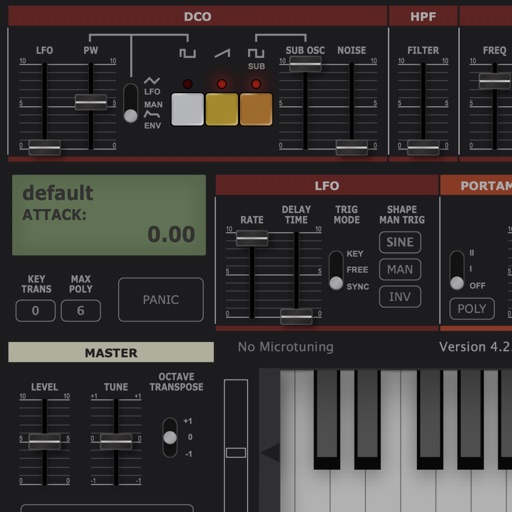
Create and manipulate sounds with customizable oscillators and filters. Adjust envelopes and LFOs for tone shaping. Apply studio-quality effects like reverb and distortion. Save and load presets. Export audio files and share directly.
Play virtual with realistic touch response and pitch variation. Adjust drum kit settings and choose from multiple drum patterns. Record performances and share drumming sessions directly.
Create and customize drum rhythms. Adjust tempo, edit loops, and practice splits. Export compositions. Play along with generated lines. Record and refine exercises. Share or save custom beats.
Develop through flash cards and exercises. Practice recognizing and playing rhythmic patterns at various tempos. Sessions progress from beginner to advanced levels across simple, complex, and irregular time signatures.
Separate vocals, drums, and bass from audio tracks using AI. Edit individual stems, adjust levels, and export isolated elements. Save and share modified versions of tracks.
Create and manipulate audio loops with customizable settings. Sample and sequence MIDI data. Host plugins and build custom effect chains. Sync with external devices and control performance parameters in real time.