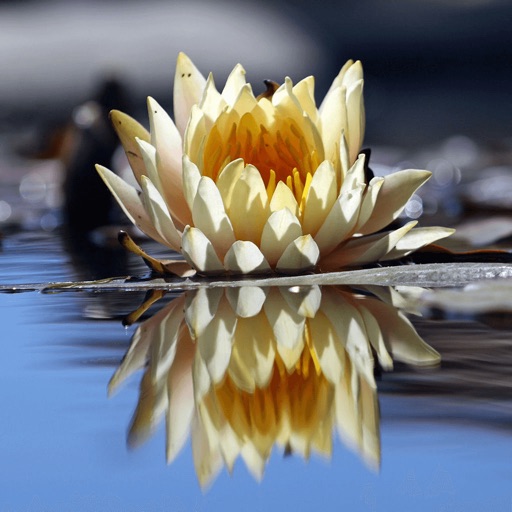
Apps Like Photo Reflection -Water Effect for iPhone and iPad
Edit photos and add reflections
Create reflections in four directions and adjust their height and shadow. Use advanced editing tools to enhance images. Compatible with iPhone, iPad, and iPod Touch.
by 云涌 段★ 3.9283 ratingsReferenceFreeData updated 2026-09-08
The app allows users to add reflections to photos with multiple editing options. Users can adjust reflection height and shadow, crop photos, and create reflections in four directions.
Receive verses and devotions with accompanying photos. Read and save verses, explore short inspirational messages from Christian writers. Access content curated by Pastor Ke. Share verses and devotions with others.
Edit photos with 200+ filters and AI art effects for enhanced visuals. Adjust brightness, contrast, and saturation. Add text, stickers, and animated effects. Export in various formats and share directly. Apply AI flash for vintage aesthetics.
Display on home and lock screens with customizable widgets. Set daily reminders for scripture reading. Create collections of favorite passages. Choose themes and layouts for widgets. Share via social media or email.
Create a customizable and personalize a virtual home with fashion items and decor. Explore open-world environments, attend social events, and interact with other users in real-time.
Trim videos to remove unwanted parts. Add background music from your device. Adjust speed for or fast . Modify brightness and blur settings. Insert text with customizable colors, fonts, and effects.
Read and compare multiple versions including KJV, NIV, and others. Search for specific verses and access detailed study tools. Listen to readings and receive daily devotionals. Set reading goals and track progress over time.
Edit photos with filters, effects, frames, and graphics. Add text and stickers. Share edited images directly. Apply custom overlays and adjust brightness, contrast, and saturation. Save and export in various formats.
Edit photos with filters, light overlays, and aesthetic design elements. Crop, resize, and add borders or shapes. Create collages with multiple layout templates. Include stickers and share edited images on Instagram or Facebook.
Record sermons and prayers with audio recording features. Take handwritten notes and organize them by date or topic. Search Scripture passages and save highlights. Sync notes across devices and set daily devotion reminders.
Edit photos with AI-powered lighting correction, exposure adjustment, and shadow detail enhancement. Retouch faces and bodies, experiment with makeup and hairstyles, and create collages or videos. Share edited content directly.
Edit photos with multiple camera models simulating DSLR, iPhone, and film styles. Use AI to enhance natural features and apply various portrait styles. Save money by avoiding camera purchases.
Create a personalized sleep routine with curated soundscapes, ambient music, and guided meditations. Access bedtime and Scripture reflections. Set sleep goals and track progress over time.
U.S. Midwest Province of the Society of Jesus, Inc.
Explore spiritual exercises and prayers
Access daily scripture readings and reflections rooted in Ignatian spirituality. Track prayer intentions and daily practices. Receive guided meditations and spiritual prompts. Sync with other users for community support.
Daily Scripture provides a verse for reflection each day to inspire spiritual growth. Daily Devotion includes guided readings and prayers to deepen personal connection with God.
Create collages by adding photo grids, frames, and filters. Apply effects like sepia and retro. Add stickers and text. Share collages via messengers and social networks. Edit photos with built-in frames and layouts.
Access verses, prayers, and devotionals. Search for specific verses quickly. Listen to audio versions of verses and prayers. View scripture with accompanying stories and explanations. Share verses via social media or email.