The app offers basic drawing items, modification functions, and multi-layer support. Users can add images, save blocks to a template list, and customize the background.
by Tien Thinh Vu★ 0.00 ratingsGraphics & Design$18.99Data updated 2026-10-13
Add text, signature, image, or logo watermarks to photos and videos. Choose from multiple fonts and colors for text. Import trademarks from photos. Apply full-screen watermarks easily.
Draw and with customizable brushes and layers. Edit images with adjustment tools and filters. Import and export files in various formats. Use gesture controls for quick navigation and editing.
Send faxes by selecting documents or taking photos. Enter fax numbers and send directly from the device. Pay per page for on-demand faxing. No need for a fax machine or dedicated line.
Create mandala paintings using vector-based tools. Zoom smoothly for precise details. Choose from various colors and brush styles. Save and share drawings directly. Adjust layer settings for customization.
Create realistic artwork with pencil, brush, pen, and marker tools. Import images as layers and edit with eraser, ruler, compass, and other tools. Add stickers and use layer management for detailed painting and design.
And edit documents with OCR technology. Capture multi-page documents, receipts, and business cards. Correct perspective and enhance image quality. Share or save scans directly.
View, share, and dimension DWG drawings. Annotate and modify designs with precision. Create new drawings or edit existing ones. Access advanced tools with a subscription. Export and collaborate on projects remotely.
Add visible or invisible watermarks to photos and videos. Customize with logos, text, metadata, QR codes, borders, vectors, or signatures. Apply single or multiple watermarks at once. Batch process images for efficient watermarking.
Create and customize rooms in 2D floor plans. Add and adjust room properties. Drag and drop furniture, doors, and windows from organized categories. Edit objects and arrange layouts. Save and export designs. Limitations on object count apply.
Create digital artwork with customizable brushes and adjust texture, shape, and paper quality. Import and export images in various formats. Access unlimited brushes and tools for free for 30 hours monthly.
Create art with a complete toolset including layers, timelines, and advanced coloring. Edit spritesheets, GIFs, and game assets. Use touch or pen for optimized drawing. Render with high-performance Metal technology.
Add watermarks to images, videos, and PDF files using custom text or uploaded logos. Customize positions, opacity, and fonts. Batch-process multiple files without altering originals. Save and share watermarked copies securely.
Create art using augmented reality tools and follow step-by-step artist-led tutorials. Access daily for various mediums like acrylic, pencil, and watercolor.
Annotate images with tools like arrow, rectangle, circle, text, and magnifier. Import photos from library, camera, or map. Export with custom sizes and share. Customize colors, undo changes, and manage layers. Crop images and save history sessions.
Create image compositions with layers, shapes, and text. Edit photos with touch-up tools and painting features. Add filters and adjustments. Export in various formats and share directly.
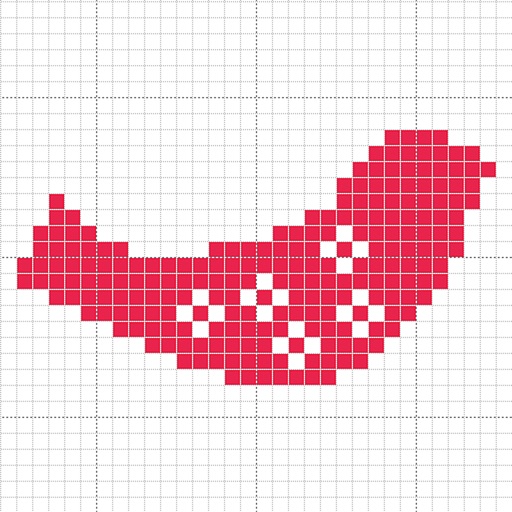
Create custom charts for crafts like cross stitch, bead weaving, knitting, and pixel art. Draw dotted images and design patterns with an intuitive touch interface. Export charts for use in projects.
Create freehand artwork from real-life images using AR technology. , , and paint over live camera views. Add text and stickers to drawings. Export creations in multiple formats and share directly.
The app allows users to design home plans in 2D, change room colors and textures, and drag furniture, doors, and windows from a catalog. It supports multiple languages and offers over 3000 symbols for detailed designs.