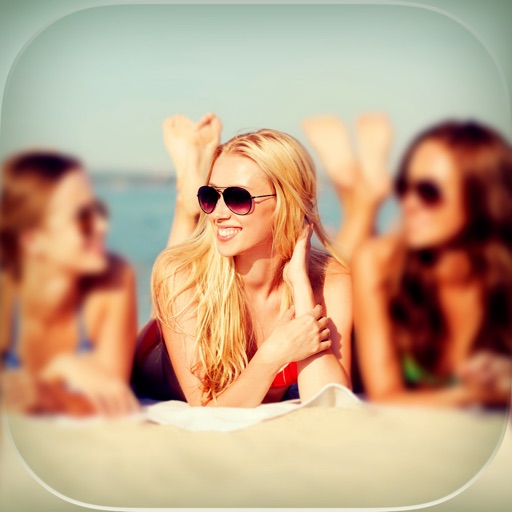
The app allows users to add customizable mirror effects to photos. Users can adjust reflection height and width, and apply various shape and blur effects.
by nedis★ 5.01 ratingsEntertainmentFreeData updated 2026-10-13
Mirror device screens to multiple TVs, computers, and devices via a home network. View mirrored content in a web browser without wires or adapters. Support for various devices including TVs, Macs, PCs, and game consoles.
Add hats to photos using touch-based adjustments. Choose from various hat styles like King's Crown, Princess Tierra, and Cowboy Hat. Apply hats to people, pets, or celebrities in any image. Share modified photos directly.
Edit photos with eye detection tools. Change eye and lens style. Adjust pupil size and shape. Remove red eye and whiten eyes. Add sparkle effects and rotate them. Morph face shape for enhanced edits. Export edited images directly.
The app offers long and multi-exposure photography with real-time tracking for moving or still objects. It provides a real-time preview to create smooth background and foreground blur, and users can record first and apply tracking afterward.
Convert photos into art using 7 filters: Basic, Circle, Dots, Rainbow, Ink, Mine, and Toon. Edit and share art on Instagram, Facebook, Twitter, and Weibo. Export and share finished artworks directly.
Transform photos into , oil, digital, or contemporary art styles. Apply artistic effects with one tap. Adjust brush size, color, and texture. Save and share edited images directly.
Edit photos with filters, masking tools, and multiple filter layers. Apply selective filters using advanced masking to create effects like color splash or tilt shift. Adjust and combine filters for custom results.
Add to photos with customizable fonts and styles. Place objects for creative effects. Create posters, covers, and invitations. Edit and share edited images directly.
The app allows users to create glowing artwork with drawing tools and add animations. Users can save creations to their photo album or email them to friends.
Draw with pencil, brush, eraser, marker, and pen. Customize brushes with texture and fill colors using a bucket tool. Add text and shapes to drawings. Change backgrounds with color, texture, or images. Use grid for guidance and mirror for faster .
Edit photos with blending tools to create double exposure effects. Add frames, quotes, and background elements. Apply single-layer filters. Export edited images without ads. two images with one touch.
Customize iPhone lock screen with 3D , liquid light-reactive effects, and AI-generated designs. Choose from daily updated themes including nature, neon, and anime. Apply HD and 4K compatible with all iPhone models.
Create and edit videos by applying various effects to footage. Slice and rearrange clips from different times and spaces. Snap photos and record videos to share with others.
Create collages by combining photos and templates. Add text, stickers, and frames. Choose from various styles and themes. Share finished collages on social media or via email. Edit images with basic tools like cropping and brightness adjustment.
Play sound effects and by tapping buttons. Save selected sounds as , alarms, or text message alerts. Choose from grouped sounds. No installation required. Free to use.
Edit videos and photos with background addition for portrait or landscape formats. Apply blur effects without cropping. Share edited content via a new sharing screen. Access media across devices from a centralized library.
The app transforms selfies to show users bald in realistic styles. Users can select from various bald looks, add birthmarks, and see animated expressions.